User’s Guide ValueJet 1304
Product overview
AP-75780 - Revision 1.3 19
2
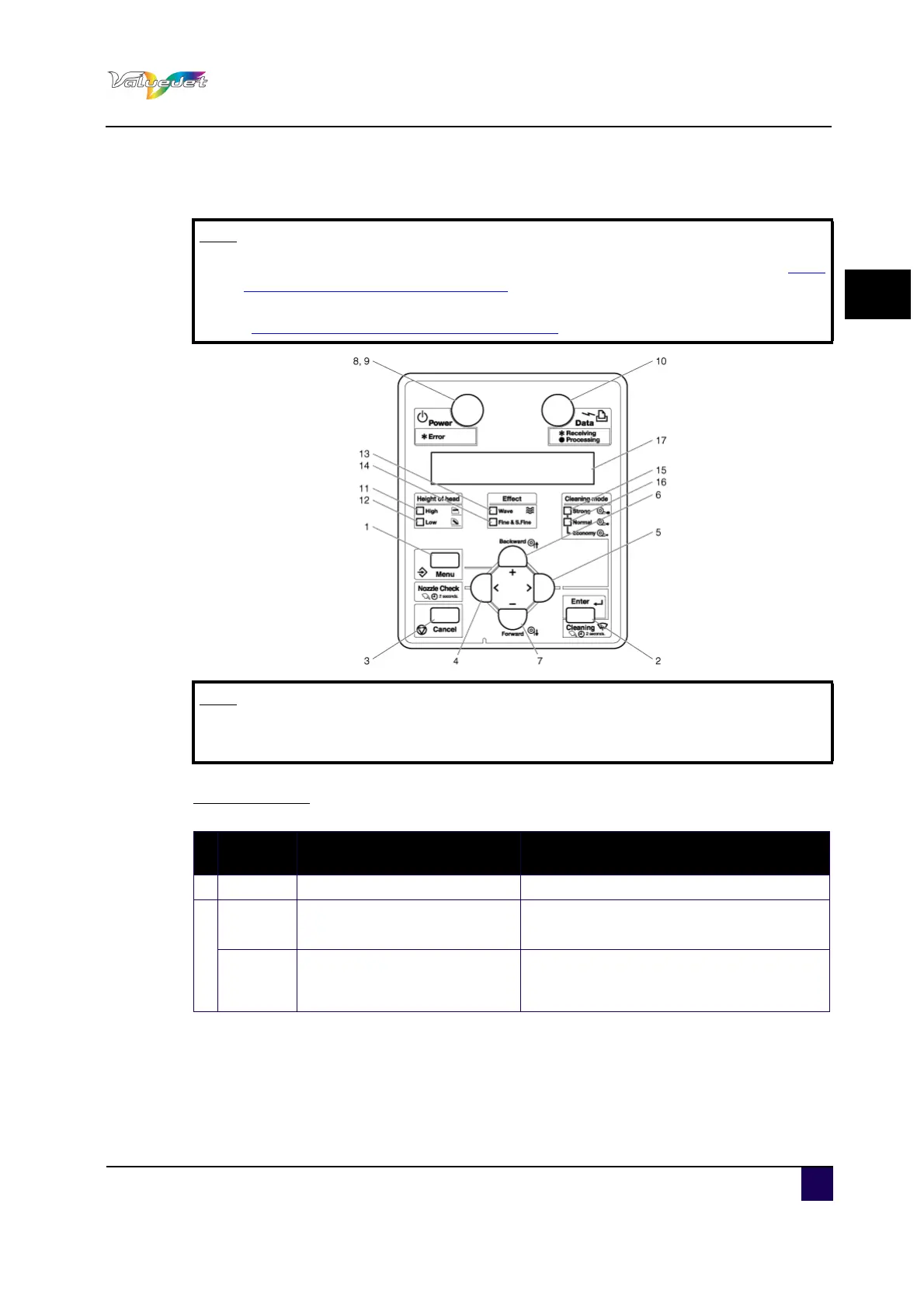
2.1.3 Operation panel
Operation keys
Note
When performing menu settings from the operation panel, please refer to Menu
setup on the operation panel on page60.
When performing various operations in the operation panel, please refer to
“Operating from the operation panel on page90
”.
Note
The operation keys are assigned with different functions and names depending
on the printer status (Normal or Setup menu display)
N
°
Key Normal Setup menu display
1 Menu Shifts to the Setup menu. Shifts from Setup menu display to Normal.
2
Enter
Restarts printing during
printing.
Shifts to the selected menu
The setting is determined and saved.
Cleaning
Press and hold this key for two
seconds or more to clean the
print head.
—















 To Next Page