User’s Guide ValueJet 1304
Troubleshooting
AP-75780 - Revision 1.3 121
6
6.4 Error messages
This section describes messages displayed during normal printer operation or when errors
occur, and solutions to the messages.
6.4.1 Status messages
This section describes messages displayed during printer normal operation.
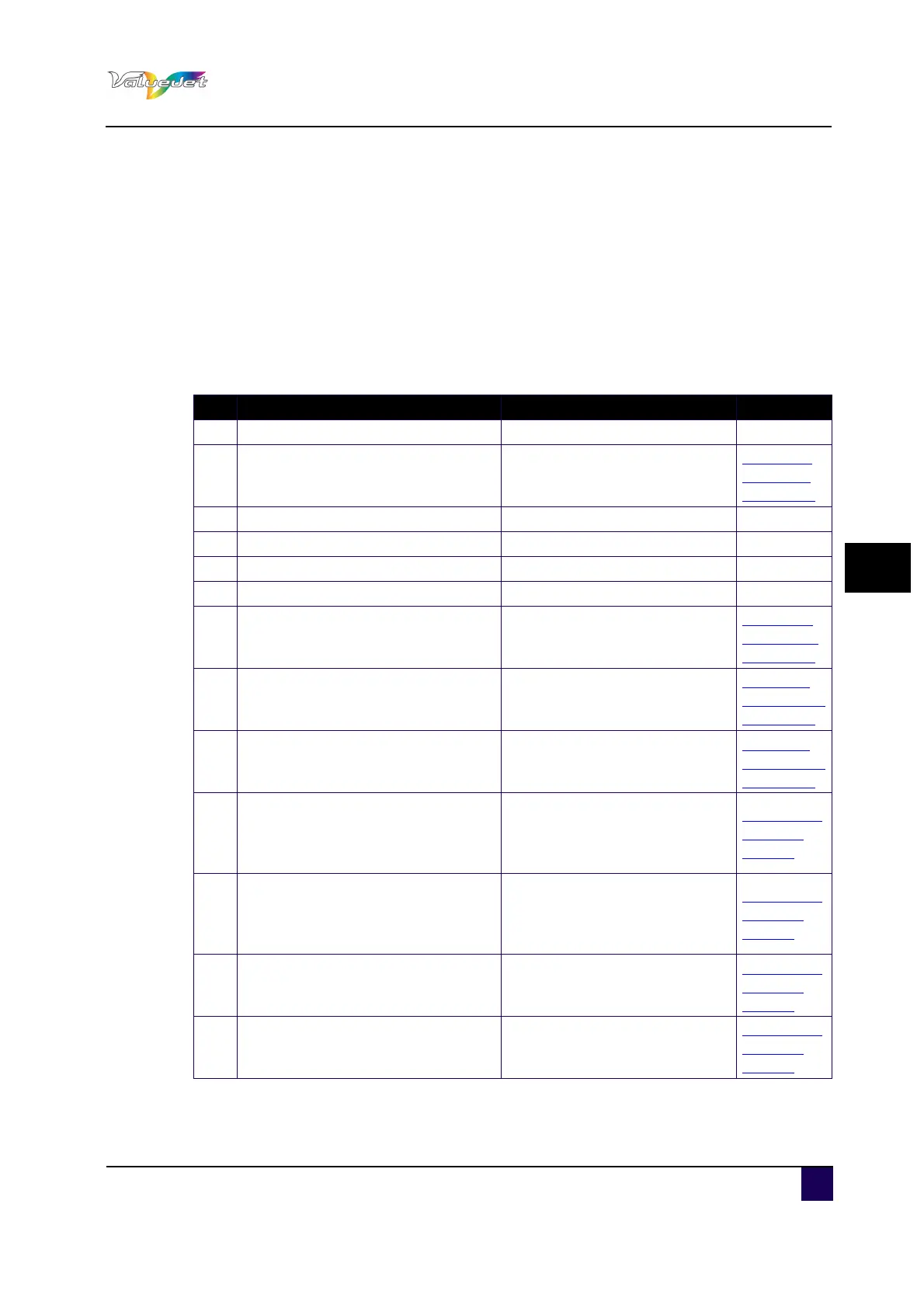
When the product is operating correctly, each operation status is displayed as below.
N° Display Remedy Reference
1 Ready to Print Standby (Media is loaded). —
2 Media End Standby (Media is not loaded).
Installing
roll media
on page40
3 Receiving Receiving data. —
4 Converting Analysing data. —
5 Printing Under printing. —
6 Warming Up Warming up the heater. —
7 Cleaning **%
Cleaning the head.
Please wait a while.
Open the
front cover.
on page98
8 Ink Refill **%
Filling the ink.
Please wait a while.
Replacing
ink cassettes
on page30
9 Washing
Washing the print head by Head
washing.
Please wait a while.
Replacing
ink cassettes
on page30
10 Moving Origin Pos.
The print head is moving to the
original printing position in the
Origin setup menu.
Please wait a while.
Panel Setup
Menu on
page62
11 Confirm Position – >E
The print head is moving to the
original printing position in the
Origin setup menu.
Press Enter.
Panel Setup
Menu on
page62
12 Remove Cartridges
Washing the head.
Attach the cleaning cartridge.
Panel Setup
Menu on
page62
13 ** Initialling **
Initializing the setting in the
Initialization menu.
Please wait a while.
Panel Setup
Menu on
page62















 To Next Page