User’s Guide ValueJet 1304
Handling the printer
AP-75780 - Revision 1.3 83
4
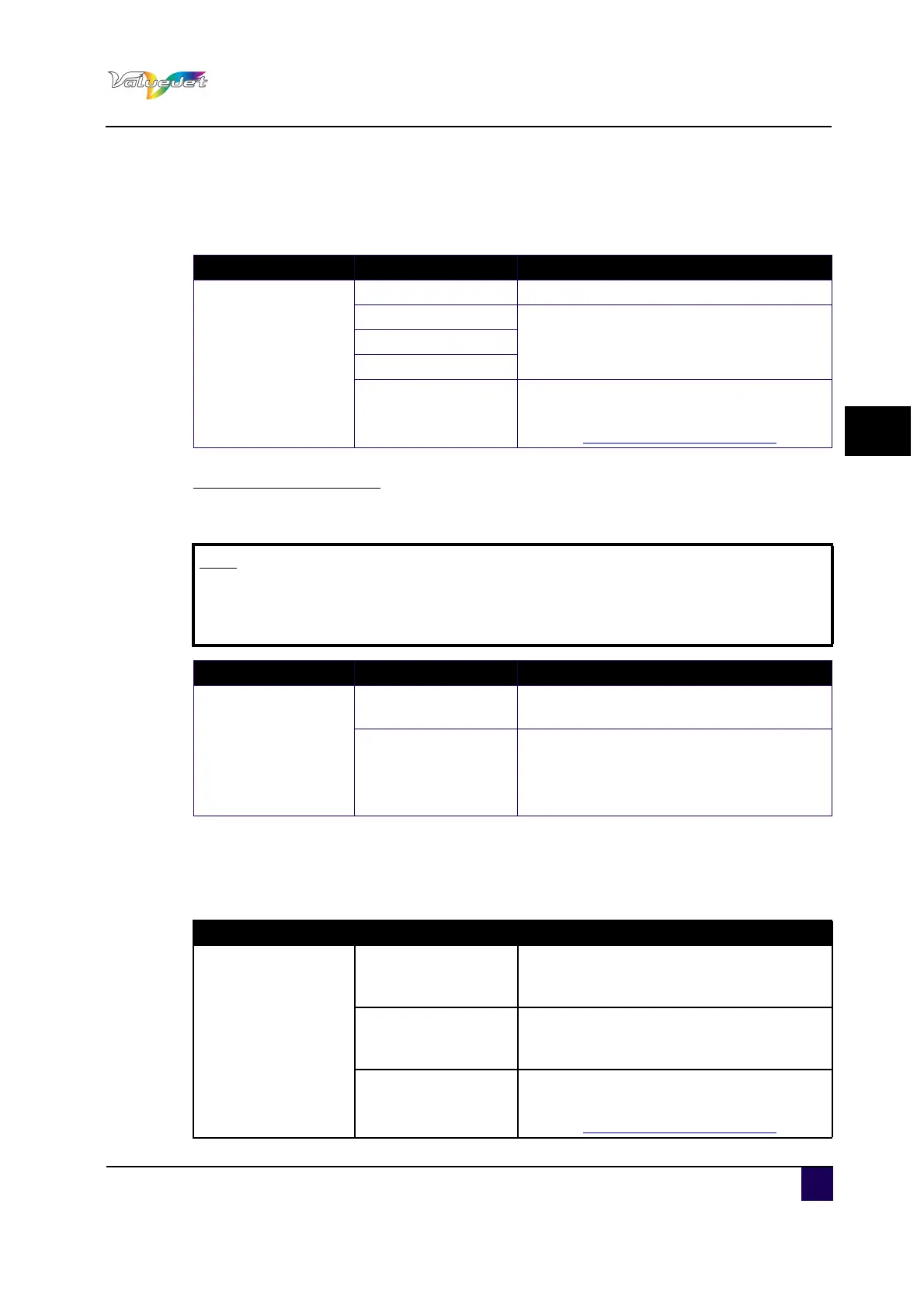
4.6.18 Roll Length menu
Display information of the ink cassette that is installed in the cassette slot.
Roll media Length menu
Sets up the roll media length.
4.6.19 CR Maintenance menu
Use this to clean the wiper
Setup item Setting Description
Roll media
<OFF> Roll length is not used
Roll 1
Sets up the roll media length.Roll 2
Roll 3
---
CANCEL: cancels the settings and shifts to
the previous hierarchy.
Refer to:Panel Setup Menu on page62
Note
When replacing the roll media, adjust the roll media length again. If the roll
media length is not set, the residual quantity of roll media is not displayed
correctly.
Setup item Setting Description
Length
1 m to <30 m> to 99
m
Sets the roll media length
---
ENTER: saves the settings and shifts to
the previous menu.
CANCEL: cancels the settings and shifts to
the previous hierarchy.
Setup item Setting Description
CR Maint
Start
Performs a maintenance. After pressing the
ENTER, the print head moves to the centre
and the cleaning wiper moves forward.
End
Complete maintenance.
After pressing the ENTER, the print head and
the wiper return to their original position.
---
CANCEL: cancels the settings and shifts to
the previous hierarchy.
Refer to:Panel Setup Menu on page62















 To Next Page