User’s Guide ValueJet 1304
Troubleshooting
AP-75780 - Revision 1.3 109
6
Step 4: Select the printing mode that you want to use.
Press + or – to select the printing mode to use.
Press Cancel several times.
The operation panel returns to Normal.
Step 5: Display the Adjust Print menu.
Press Menu.
"Menu 1: Setup>" is displayed.
The operation panel shifts to the Setup menu display.
Press + or – to select "Menu3: Adjust Print".
Press >.
"Adj.1: Confirm" is displayed.
The display enters the Adjust Print menu.
Step 6: Press Enter.
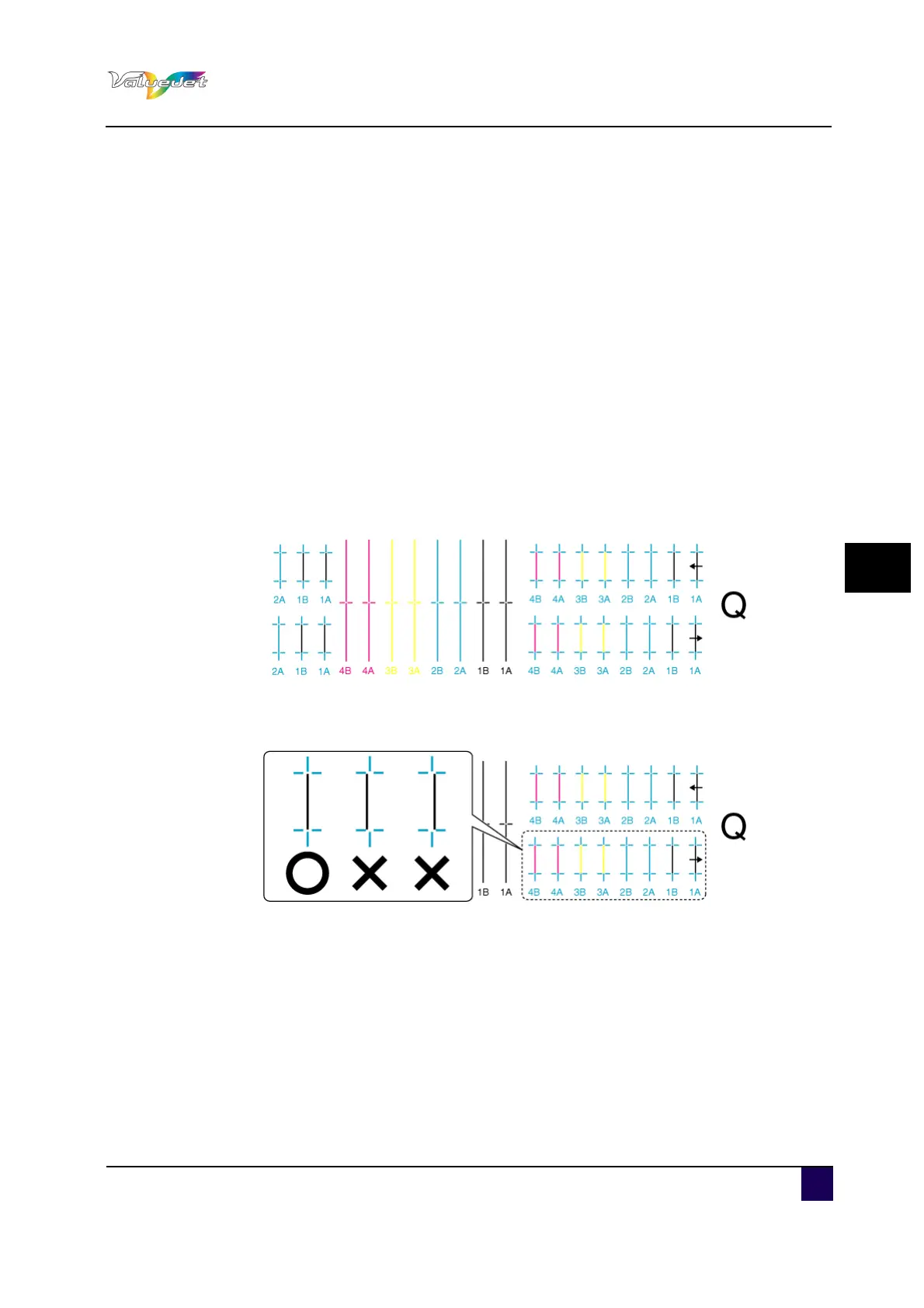
A confirmation pattern for quality adjustment is printed.
After the confirmation pattern is printed, the operation panel shifts to Normal.
Step 7: Confirm that the confirmation pattern printing result is as follows.
When the printing result is O
You do not need perform Alignment.
The procedure for Alignment is complete.
When the printing result is X:
You need to perform Alignment.
Proceed to step 8.















 To Next Page