VJ-1624X/1624WX/1924WX OPERATION MANUAL 4 Handling the printer
4.5 Using Spectrophotometer (VJ-1624X only) 205
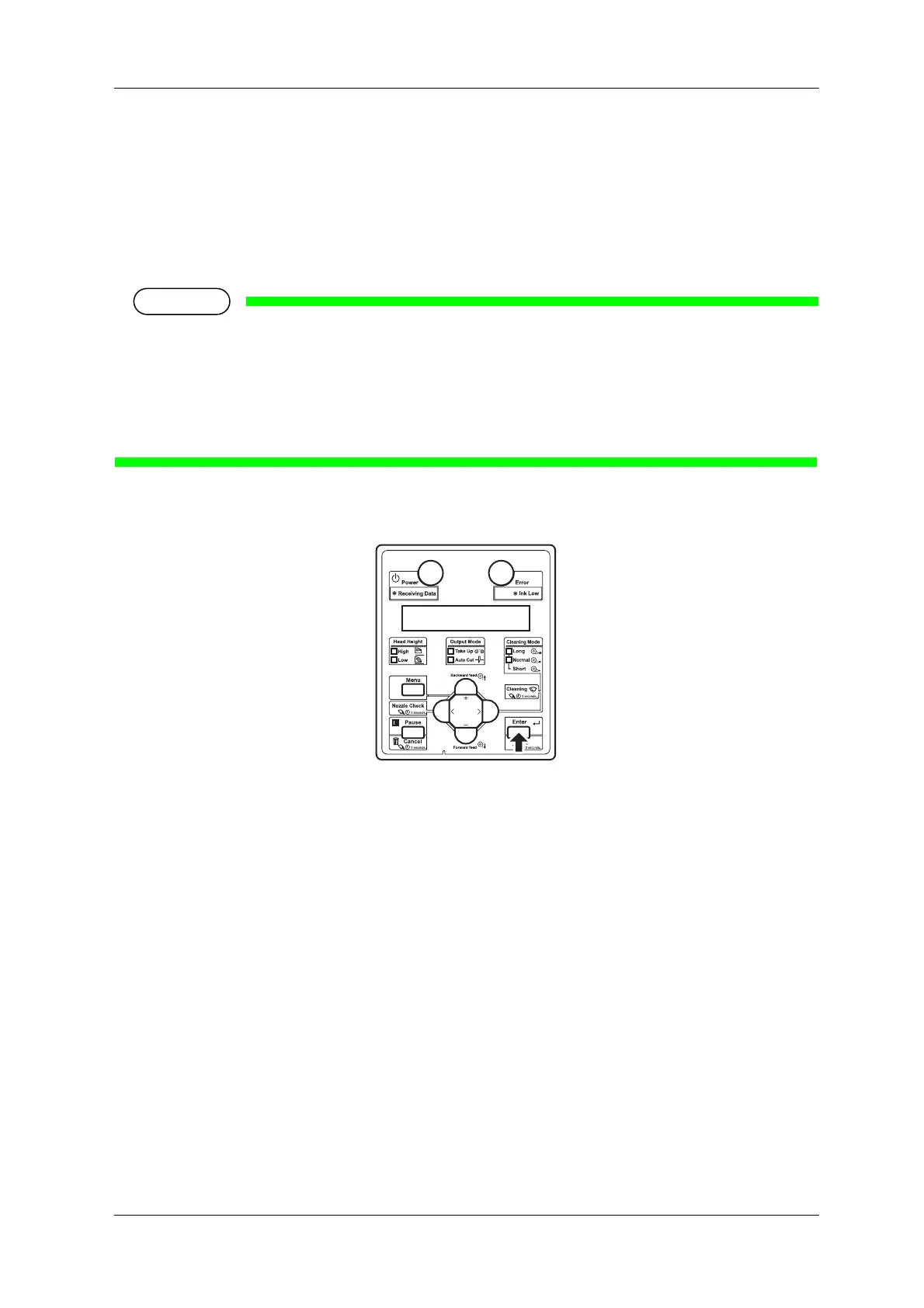
13. When Start measurement [ENTER] is displayed on the operation panel, press the [Enter] key.
• Spectrophotometer starts measuring the color target.
• "Measuring..." is displayed on Operation panel.
• After measuring is complete, "Detaching instrument [ENTER]" is displayed on the operation
panel.
• Color measurement starts either automatically or manually, depending on the RIP software feature.
The steps above are for manual measurement.
• When the measurement starts automatically, "Ink Drying xxxxxs" (xxxxx is a number) may be
displayed on Operation panel.
• Do not open the covers or move media loading lever during measuring.
14. Press the [Enter] key.
• "Wait for a while..." is displayed on Operation panel.
• Print head moves to the left.
• "Open left mainte. cover." is displayed on Operation panel.














 To Next Page