4 Handling the printer VJ-1624X/1624WX/1924WX OPERATION MANUAL
206 4.5 Using Spectrophotometer (VJ-1624X only)
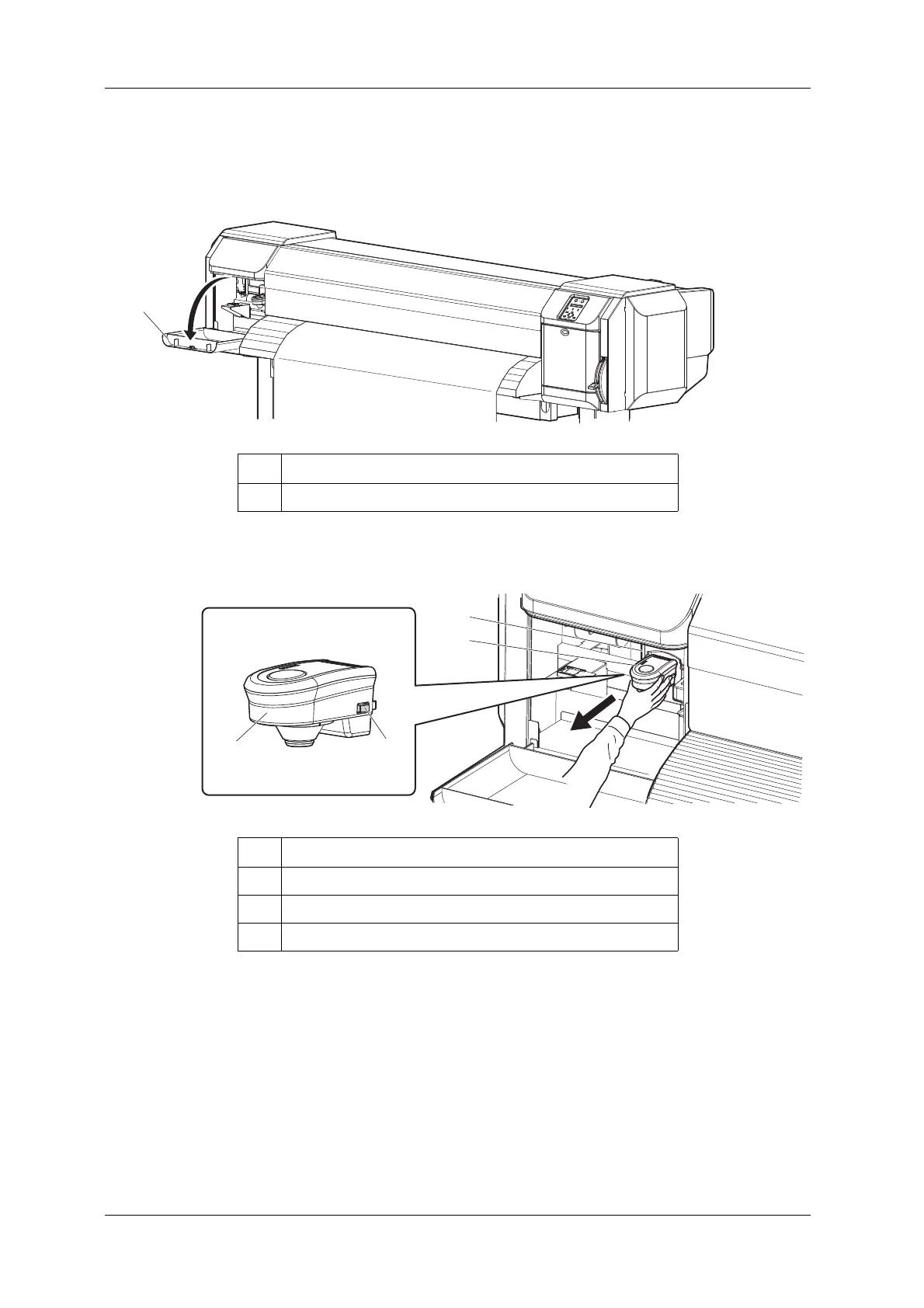
15. Open Maintenance cover on the left of the printer.
• Detach instrument and set connector cap [ENTER] is displayed on the operation panel.
16. While pressing the release buttons on both sides of Spectrophotometer, pull it forward to remove it
from Print head.
No. Name
1 Maintenance cover
No. Name
1 Spectrophotometer
2 Release buttons
3 Print head section














 To Next Page