VJ-1624X/1624WX/1924WX OPERATION MANUAL 4 Handling the printer
4.5 Using Spectrophotometer (VJ-1624X only) 207
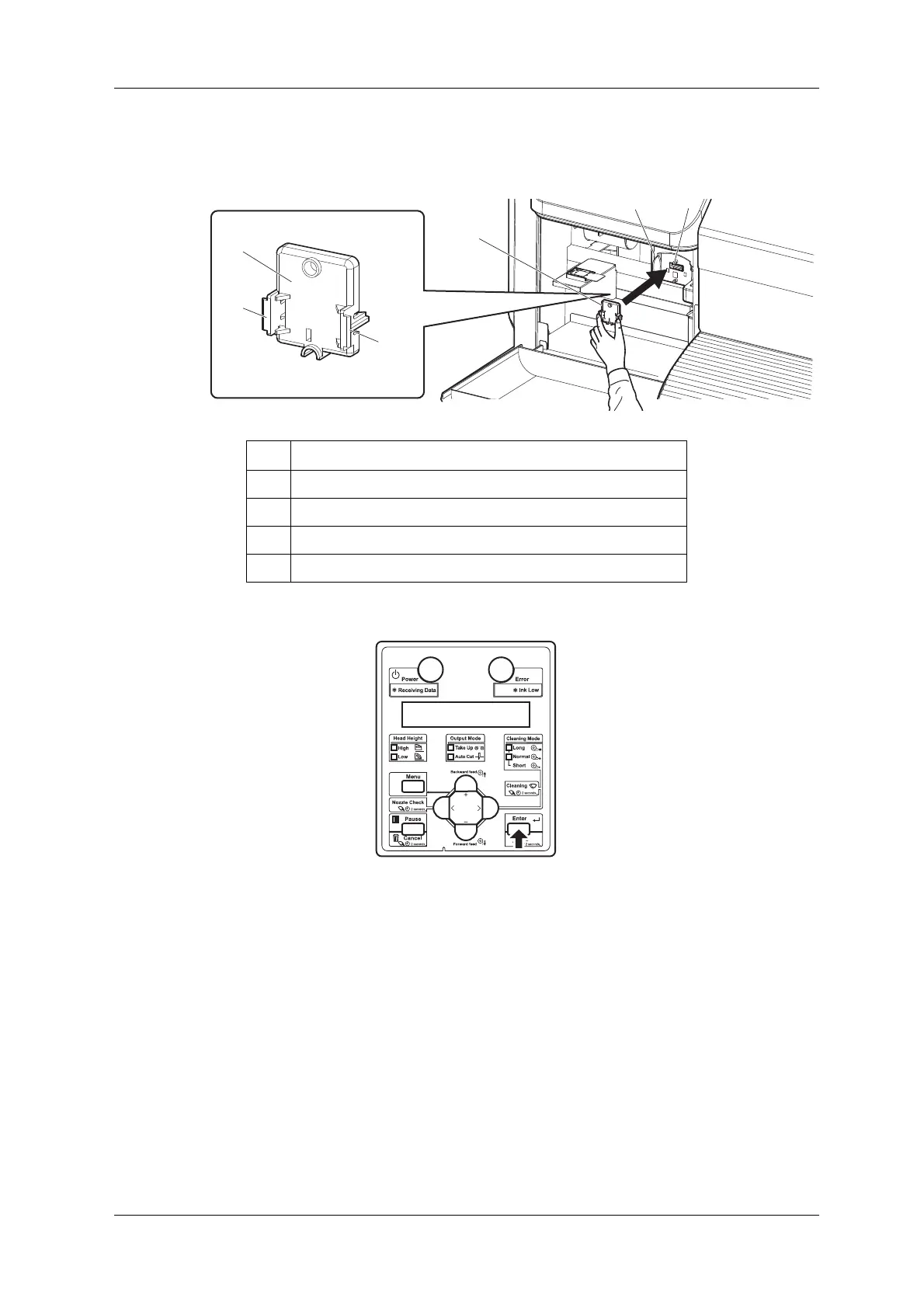
17. Firmly pinch the tabs on both sides of Connector cap with your fingers, and install it to the connector
of Print head.
18. Press the [Enter] key.
• "Wait for a while..." is displayed on Operation panel.
• "Remove white plate, then close left maintenance cover." is displayed on Operation panel.
No. Name
1 Connector cap
2Tabs
3 Print head section
4 Connector














 To Next Page