4 Handling the printer VJ-1624X/1624WX/1924WX OPERATION MANUAL
208 4.5 Using Spectrophotometer (VJ-1624X only)
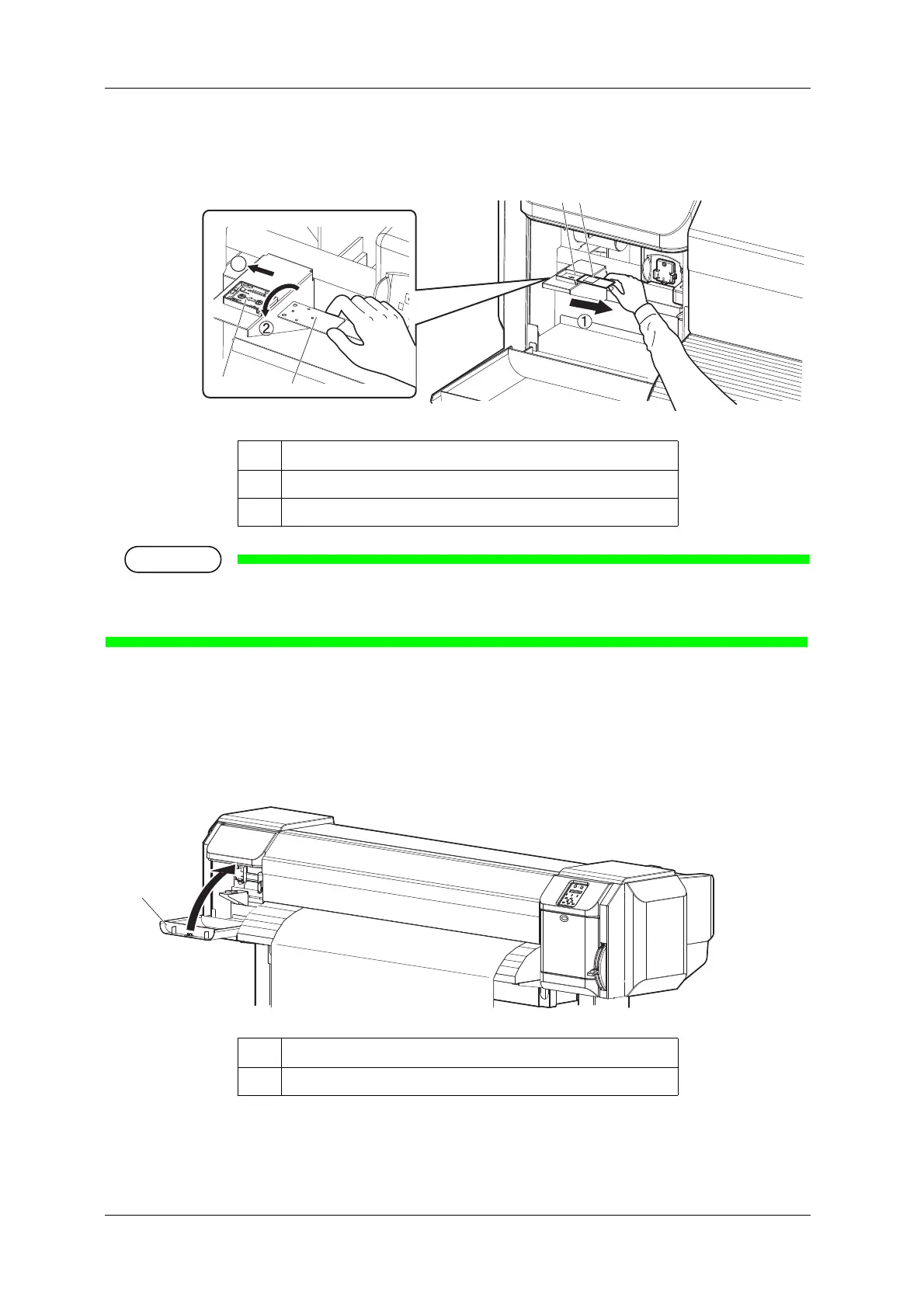
19. Remove the white reference plate from the plate installation place, turn it over so that the black side
faces up, and install it back to the original place.
When White reference plate is not in use, make sure that it is turned over facing down to avoid any
contamination.
20. Close Maintenance cover.
• "Ready to Print" is displayed on Operation panel.
• For the subsequent operations, follow the instructions of the RIP software.
No. Name
1 Whilte reference plate
2 Plate installation place
No. Name
1 Maintenance cover














 To Next Page