187
Bracketing
ADL Bracketing
The camera varies Active D-Lighting (ADL) over a series of exposures. To
use ADL bracketing:
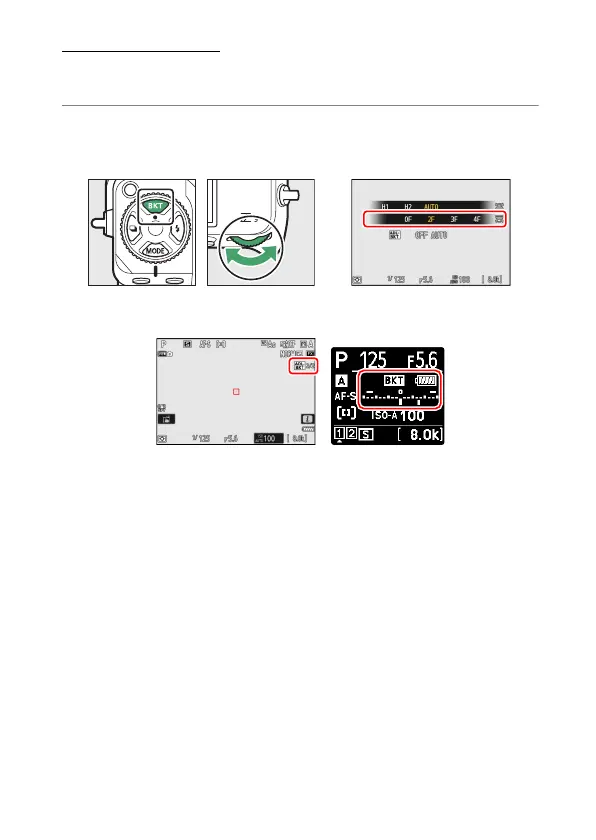
1
Choose the number of shots.
•
Hold the BKT button and rotate the main command dial to choose
the number of shots in the bracketing sequence.
•
At settings other than [0F], a bracketing icon and indicator will
appear in the shooting display and control panel.



 To Next Page