65
The Menus
The
i
Button (the
i
Menu)
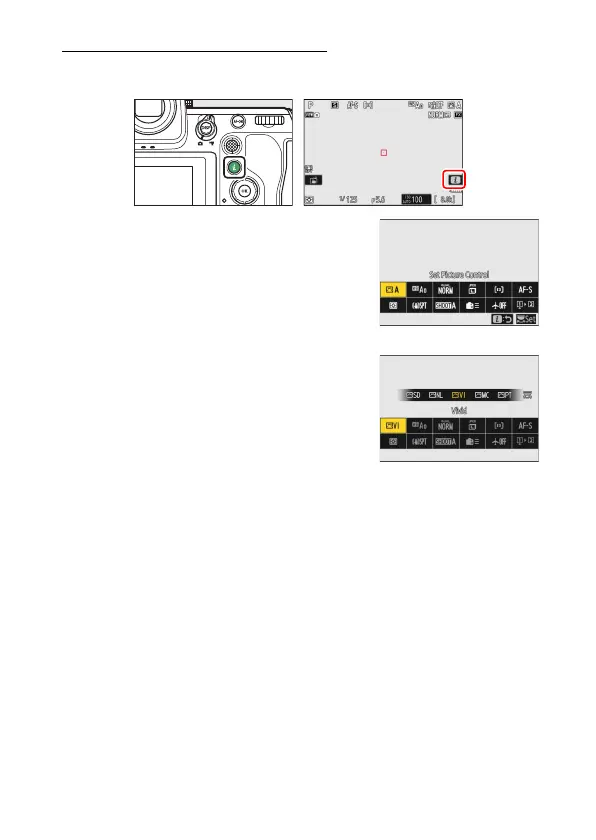
For quick access to frequently-used settings, press the
i
button or tap
the
i
icon to view the
i
menu.
•
Different menus are displayed in photo and
video modes.
•
Options can be viewed by tapping items in
the display or by highlighting items and
pressing
J
; selections can then be made
using the multi selector.
•
Items for which the camera displays an on-
screen guide can be adjusted by
highlighting them in the
i
menu and
rotating a command dial. In some cases,
adjustments can be made using both the
main and sub-command dials.



 To Next Page