218
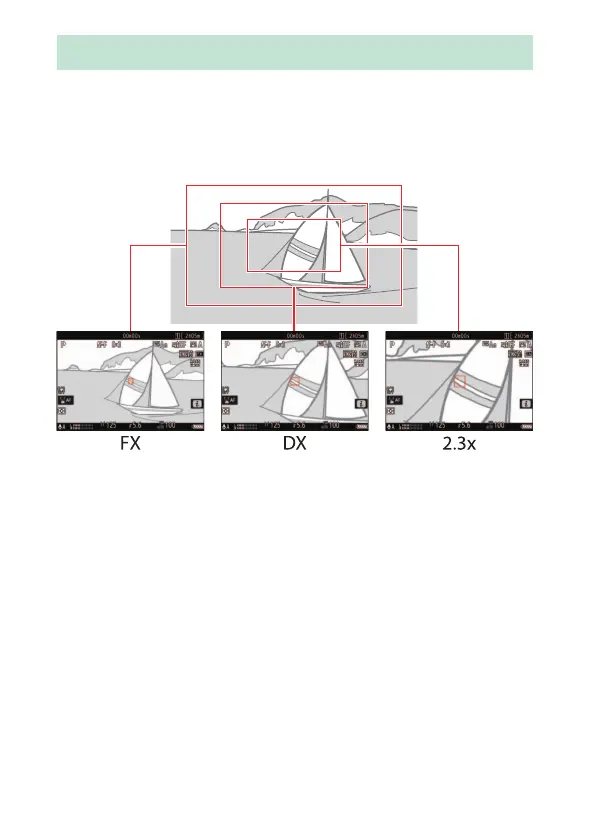
Video Image Area Options
The image area for videos can be selected using [Image area]>
[Choose image area] in the video recording menu. The crop used for
filming video varies with the option selected. Regardless of the option
selected, the aspect ratio is 16:9.
•
Select [FX] to shoot videos in what is referred to as “FX-based video
format”, [DX] to shoot in “DX-based video format”.
•
Selecting [DX] for [Choose image area] or mounting a DX lens on the
camera with [3840×2160; 120p], [3840×2160; 100p], [1920×1080;
120p], or [1920×1080; 100p] chosen for [Frame size/frame rate]
increases the apparent focal length by approximately 2.3× when
compared to FX format.
Video Image Area Options



 To Next Page