660
A
Custom Settings: Fine-Tuning Camera Settings
•
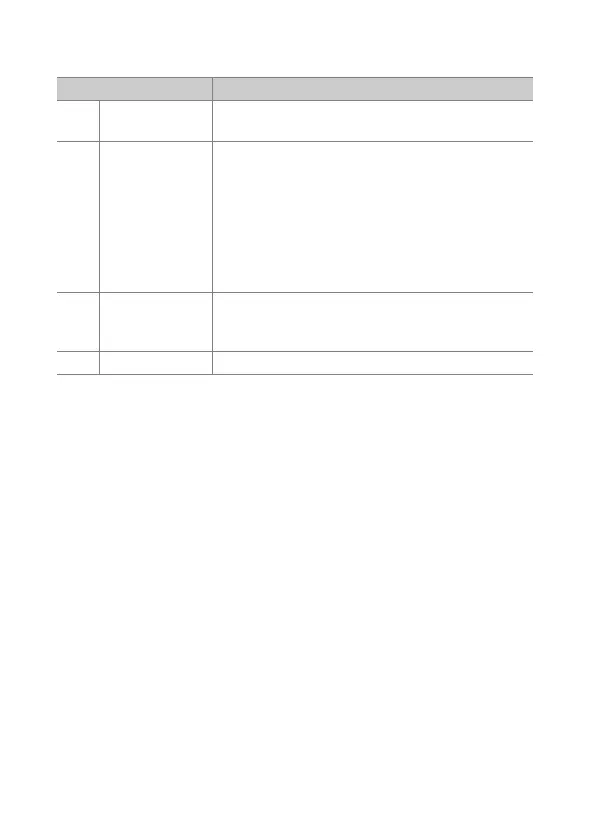
The roles that can be assigned to these controls are listed below. The
roles available vary with the control.
Role Description
g
[Protect]
Press the control to toggle protection for the
current picture on or off.
p
[Zoom on/off]
Press the control to zoom the display in on the
area around the current focus point (the zoom
ratio is selected in advance). Press again to cancel
zoom.
•
To choose the zoom ratio, highlight [Zoom on/
off] and press
2
.
•
Zoom on/off is available in both full-frame and
thumbnail playback.
l
[Filtered
playback]
Press the control to view only pictures that meet
the criteria selected for [Filtered playback
criteria] in the playback menu.
b
[Voice memo] Use the control for voice memo operations.



 To Next Page