382
FTP Servers: Connecting via Ethernet or Wireless LAN
Ethernet
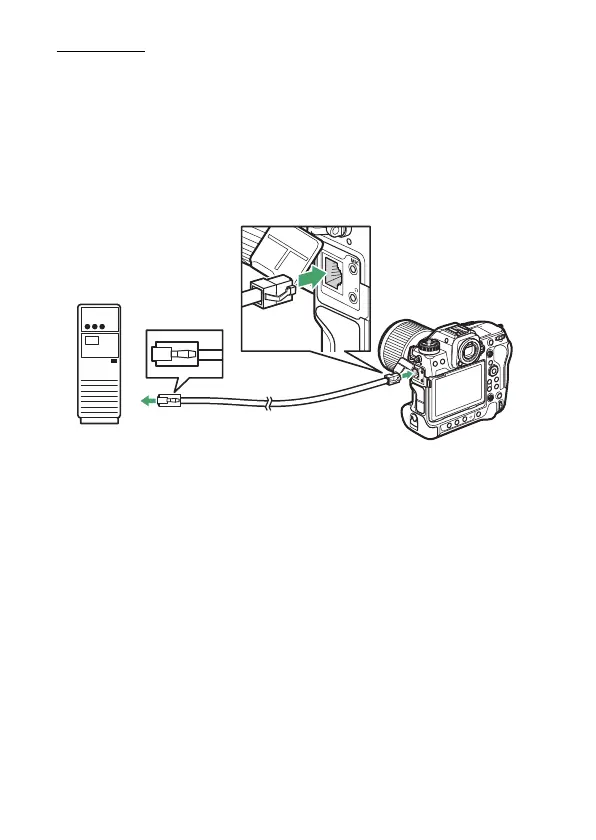
The camera can connect to FTP servers either directly or via existing
networks using a third-party Ethernet cable inserted in the camera’s
Ethernet connector.
❚❚
Connecting an Ethernet Cable
Connect an Ethernet cable to the camera’s Ethernet connector. Do not
use force or attempt to insert the connectors at an angle. Connect the
other end of the cable to the FTP server or a router.
FTP



 To Next Page