686
A
Custom Settings: Fine-Tuning Camera Settings
Choose whether a zebra pattern is used to indicate selected tone ranges
in video mode.
Pattern Tone Range
Choose the tone range shown by the zebra pattern from [Highlights] or
[Mid-tones], or select [Zebra pattern off] to turn the zebra pattern off.
Highlights and mid-tones can be defined using [Highlight threshold]
and [Mid-tone range], respectively.
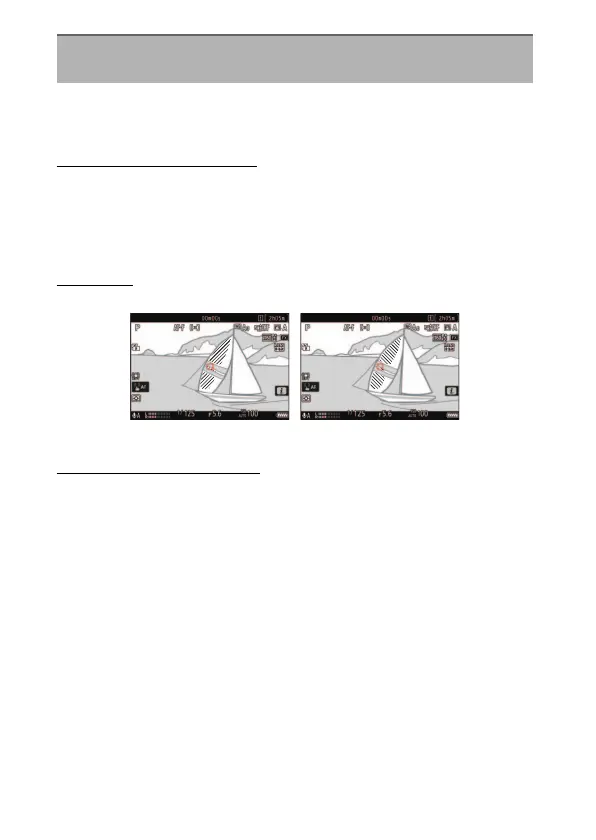
Pattern
To enable the zebra display, select [Pattern 1] or [Pattern 2].
Highlight Threshold
Choose the brightness needed to trigger the zebra display when
[Highlights] is selected for [Pattern tone range].
•
Choose from values of from 120 to 255. The lower the value, the
greater the range of brightnesses that will be shown as highlights.
•
If 255 is selected, the display will show only areas that are potentially
overexposed.
g9: Zebra Pattern
G
button
U
A
Custom Settings menu
Pattern 1 Pattern 2



 To Next Page