254
Selecting Pictures for Upload
1
Select the desired picture and press the
i
button.
2
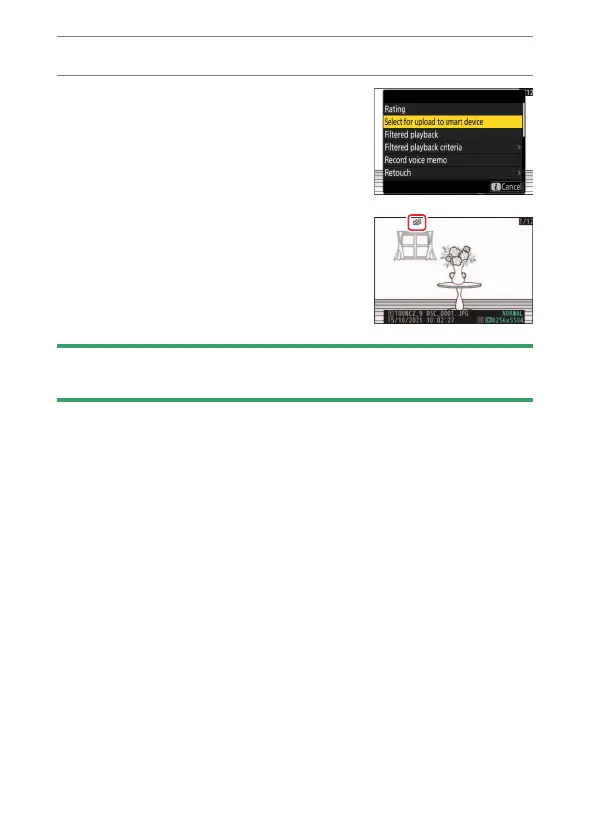
Highlight [Select for upload to smart
device], [Select for upload to computer],
or [Select for upload (FTP)] and press
J
.
Pictures destined for a smart device are
marked with a
W
icon, while those
destined for a computer or ftp server are
marked with
s
.
D
Removing Upload Marking
To remove upload marking, repeat Steps 1 and 2.


 To Next Page