292
Editing Videos
6
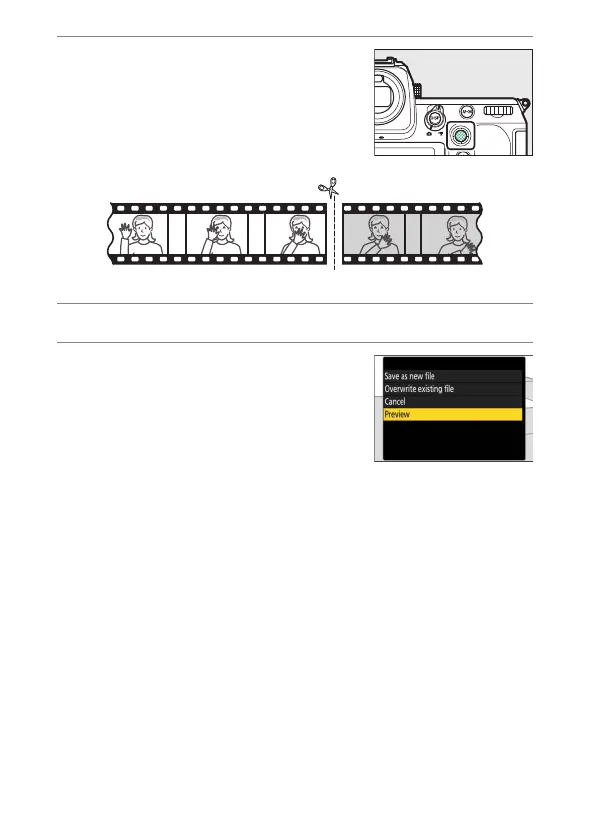
Choose the end point.
Press the center of the sub-selector to
switch to the end-point selection tool (
x
)
and then select the closing frame (
x
) as
described in Step 5.
7
Press
1
to create the copy.
8
Preview the copy.
•
To preview the copy, highlight
[Preview] and press
J
(to interrupt the
preview and return to the save options
menu, press
1
).
•
To abandon the current copy and return
to Step 5, highlight [Cancel] and press
J
.


 To Next Page