330
Computers: Connecting via Ethernet or Wireless LAN
2
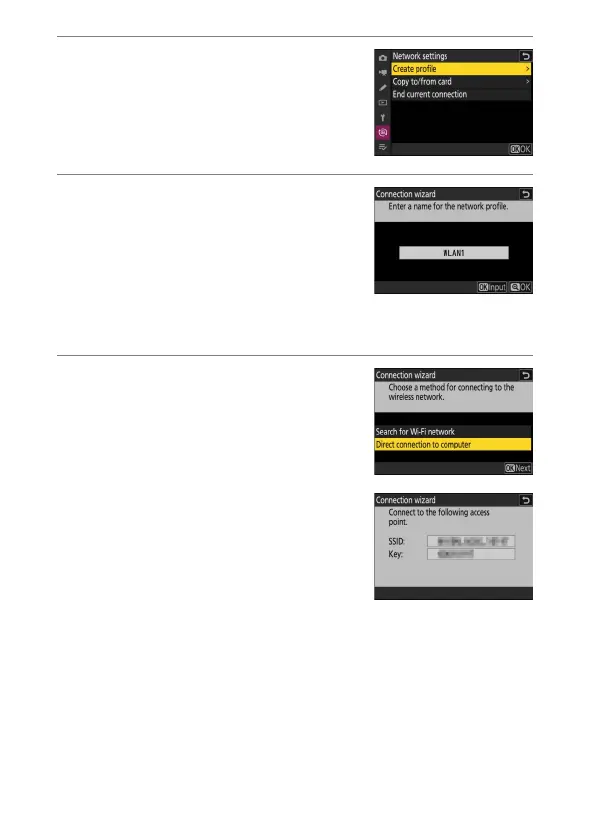
Highlight [Create profile] and press
J
.
3
Name the new profile.
•
To proceed to the next step without
changing the default name, press
X
.
•
Whatever name you choose will appear
in the network menu [Connect to
computer]> [Network settings] list.
•
To rename the profile, press
J
. For information on text entry, see
“Text Entry” (
0
64). Press
X
to proceed after entering a name.
4
Highlight [Direct connection to
computer] and press
J
.
The camera SSID and encryption key will
be displayed.



 To Next Page