332
Computers: Connecting via Ethernet or Wireless LAN
6
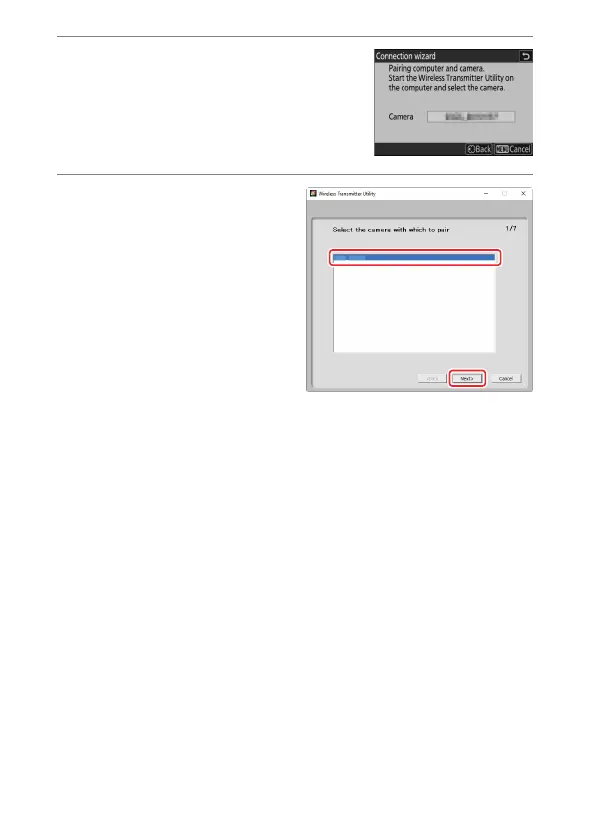
Start pairing.
When prompted, launch the Wireless
Transmitter Utility on the computer.
7
Select the camera in the
Wireless Transmitter Utility.
Select the name displayed by
the camera in Step 6 and click
[Next].



 To Next Page