409
Synchronized Release
11
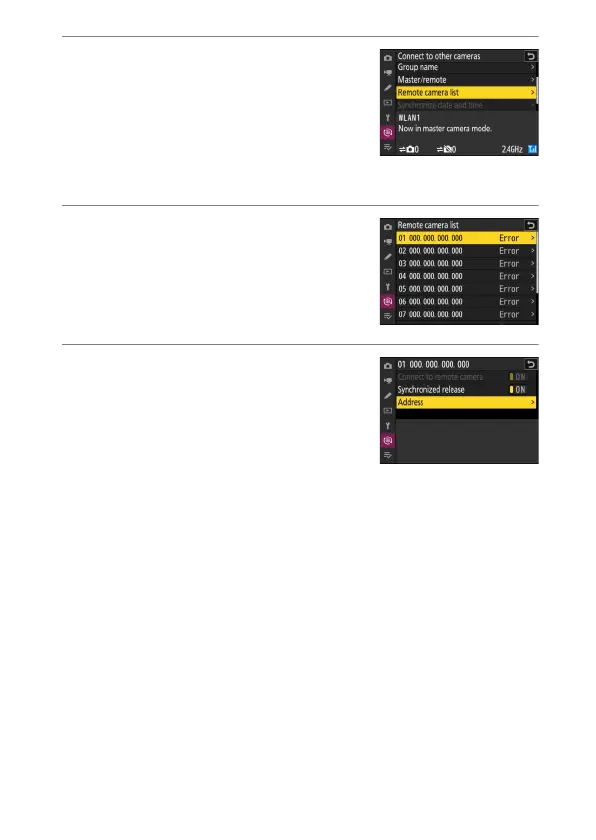
On the master camera, highlight
[Remote camera list] and press
2
.
Cameras assigned the remote camera role
in Step 9 are added to the master
camera’s remote camera list. The master
camera can store information for up to 10
remote cameras in slots [01] through [10].
12
Highlight the desired slot and press
2
.
Remote camera options will be displayed.
13
Highlight [Address] and press
2
.
You will be prompted to enter an IP
address.


 To Next Page