455
Optical AWL
3
C
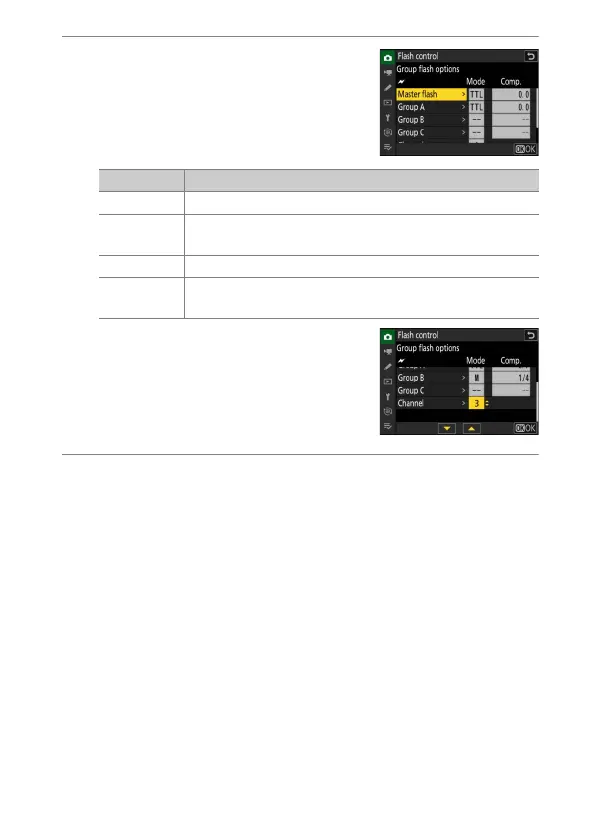
: Adjust flash output and choose the
channel and flash control mode.
•
Choose the flash control mode and flash
level for the master flash and the remote
flash units in each group.
•
The following options are available:
•
For [Channel], choose the channel (1–4)
the master flash will use for optical
remote flash control.
•
If the remote flash units include an
SB-500, you must choose Channel [3].
4
f
: Choose a channel for the remote flash units.
Set the remote flash units to the channel selected for [Channel] in
Step 3.
Option Description
TTL i-TTL flash control.
q
A
Auto aperture. Available only with compatible flash
units.
M Choose the flash level manually.
––
(off)
The remote units do not fire. [Comp.] cannot be
adjusted.


 To Next Page