51
Parts of the Camera
•
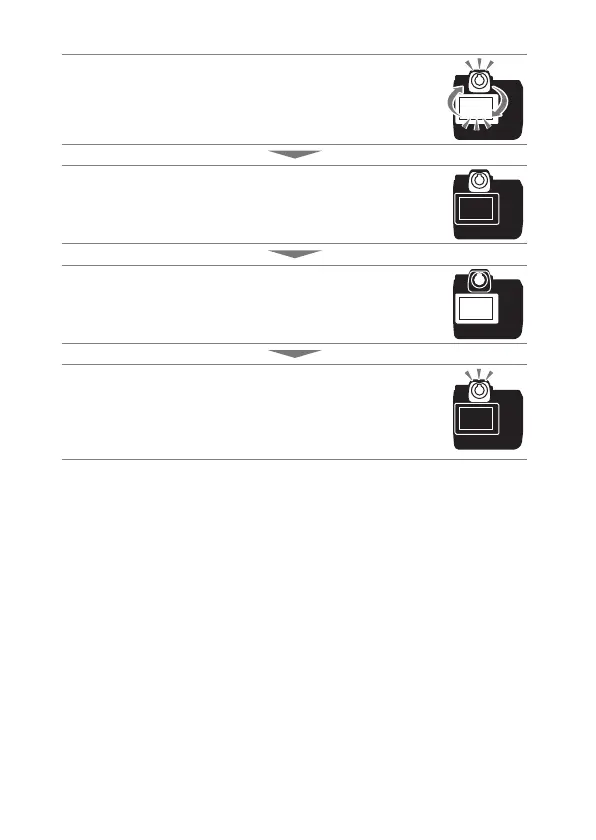
Press the
M
button to cycle through the displays as follows.
[Automatic display switch]: The camera automatically
switches between the viewfinder and monitor displays
based on information from the eye sensor.
[Viewfinder only]: The monitor remains blank. The
viewfinder is used for shooting, menus, and playback.
[Monitor only]: The monitor is used for shooting, menus,
and playback. The viewfinder display will remain blank even
if you put your eye to the viewfinder.
[Prioritize viewfinder]: The camera functions in a manner
similar to existing digital SLR cameras.
During photo mode, placing your eye to the viewfinder
turns the viewfinder on; the monitor remains off after you
take your eye away.


 To Next Page