570
C
The Photo Shooting Menu: Shooting Options
3
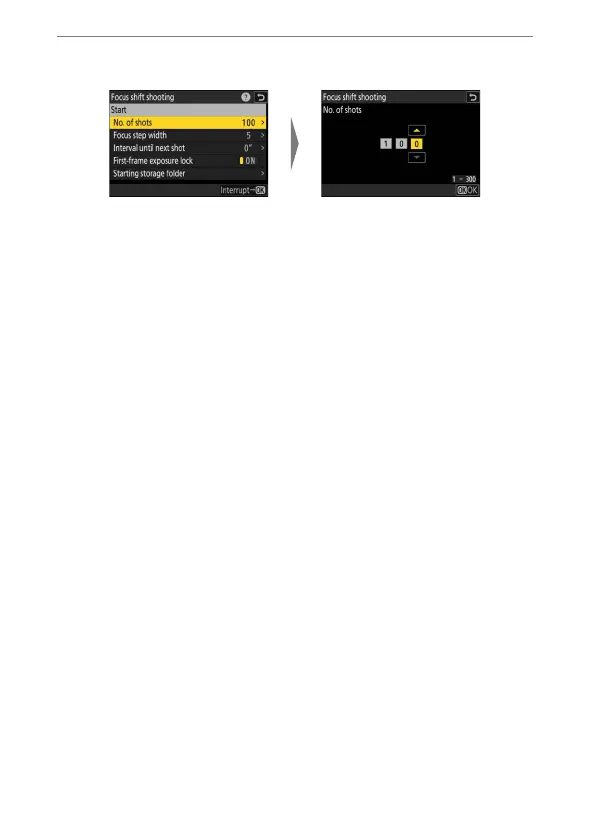
Adjust focus shift settings.
•
Choose the number of shots.
- The maximum number of shots is 300.
- We recommend taking more shots than you think you’ll need.
You can winnow them down during focus stacking.
- More than 100 shots may be required for photographs of insects
or other small objects. On the other hand, only a few may be
needed to photograph a landscape from front to back with a
wide-angle lens.
Highlight [No. of shots]
and press
2
.
Choose the number of
shots and press
J
.


 To Next Page