848
Compatible Accessories
D
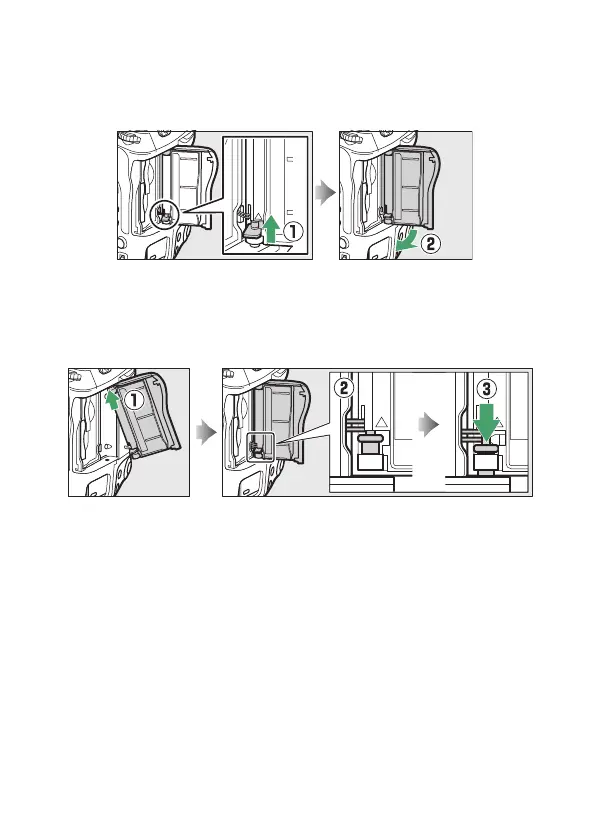
The Memory Card Slot Cover
The camera features a removable memory card slot cover.
•
After opening the memory card slot cover, slide the memory card slot
cover release latch in the direction shown until it latches (
q
) and then
rotate the cover clockwise to remove it from the camera (
w
).
•
To re-attach the cover, insert the top hinge into the top socket on the
camera body (
q
) and insert the end of the sprung hinge into the bottom
socket (
w
). Keeping the bottom hinge aligned with the bottom socket,
slide the memory card slot cover release latch down until it clicks into place
in its original position (
e
).



 To Next Page