NoniusSoft, Software e Consultoria para
Telecomunicações, S.A.
Rua Actor Ferreira da Silva, 100
4200-298 Porto • Portugal
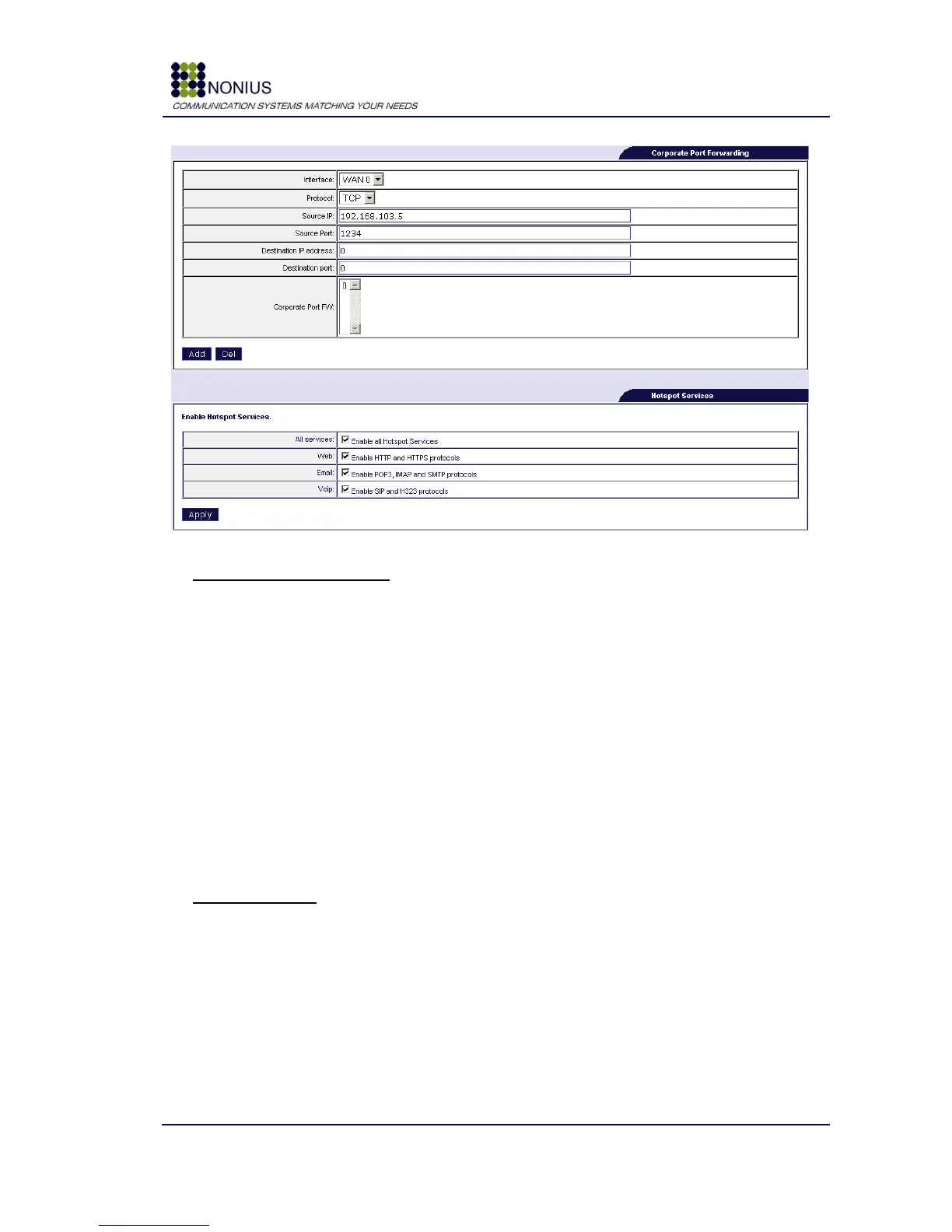
Figure 26 - Corporate Port forwarding, Hotspot Services
Corporate Port Forwarding
Use this form to perform port forwarding for equipments connected to other interfaces (physical or
virtual), but the captive portal interface.
Interface: select the interface (physical or virtual) to which the target equipment is connected.
Protocol: select TCP or UDP.
Source IP: insert the IP address from where to admit connections or insert “all” if there‟s no
restriction.
Source Port: insert the TCP or UDP port. If there is port translation, insert the port to be
translated.
Destination IP Address: insert the targets equipment‟s IP address.
Destination Port: insert the target equipment‟s TCP or UDP port.
Hotspot Services
Use this form to enable port forwarding to all or to some hotspot services.



 To Next Page