9.2 Server/Group/Camera
Display a complete list of the server(s), group(s) and camera(s) that are added to the system.
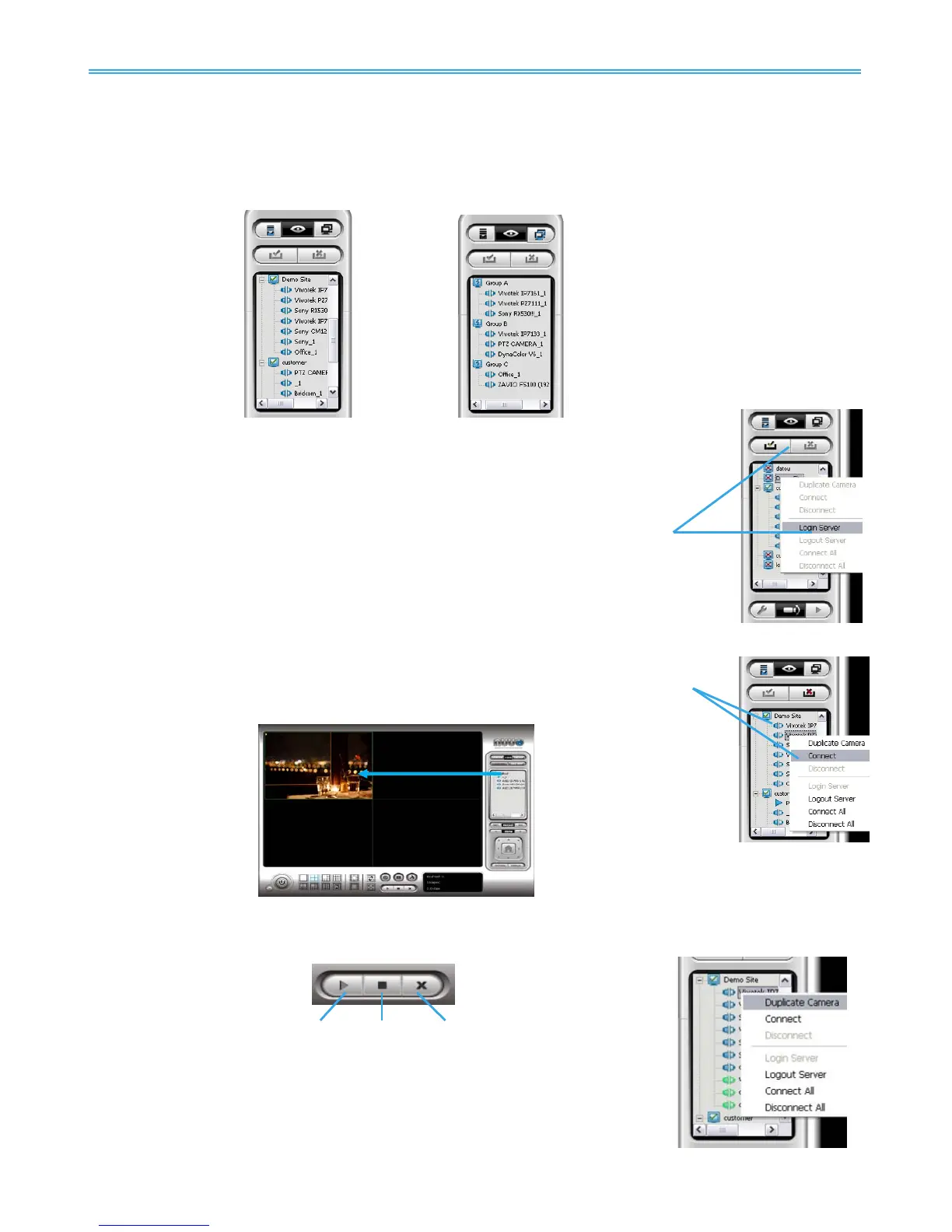
Server View: Cameras are listed according to recording server.
Group View: Cameras are listed according to customized grouping.
Server View
Group View
9.2.1 login/logout server
Option1: Select a server on the list and click on LOG IN/ LOG OUT to access/ logout the
server.
Option2: On the server list, right click to obtain menu options.
9.2.2 Connect/Disconnect camera
Option1: On the server/camera list, double click on a camera to connect.
Option2: On the server/ camera list, right click on a camera to obtain the menu options to connect/
disconnect.
Option3: Select a camera from the list, then drag it to where you want it to be displayed.
Option4: Play / Stop/ Drop: Select a camera/ video and click on this button to play/stop/disconnect a
particular channel.
9.2.3 Multiple Views:
Step1: On the server/camera list, select a camera and right click on it to obtain
the menu options.
Step2: Select Duplicate Camera and the duplicate camera with green indicator
will display below on camera list.



 To Next Page