The Intelligent Surveillance Solution
NUUO NVR/DVR/Hybrid NDVR System
- 23 -
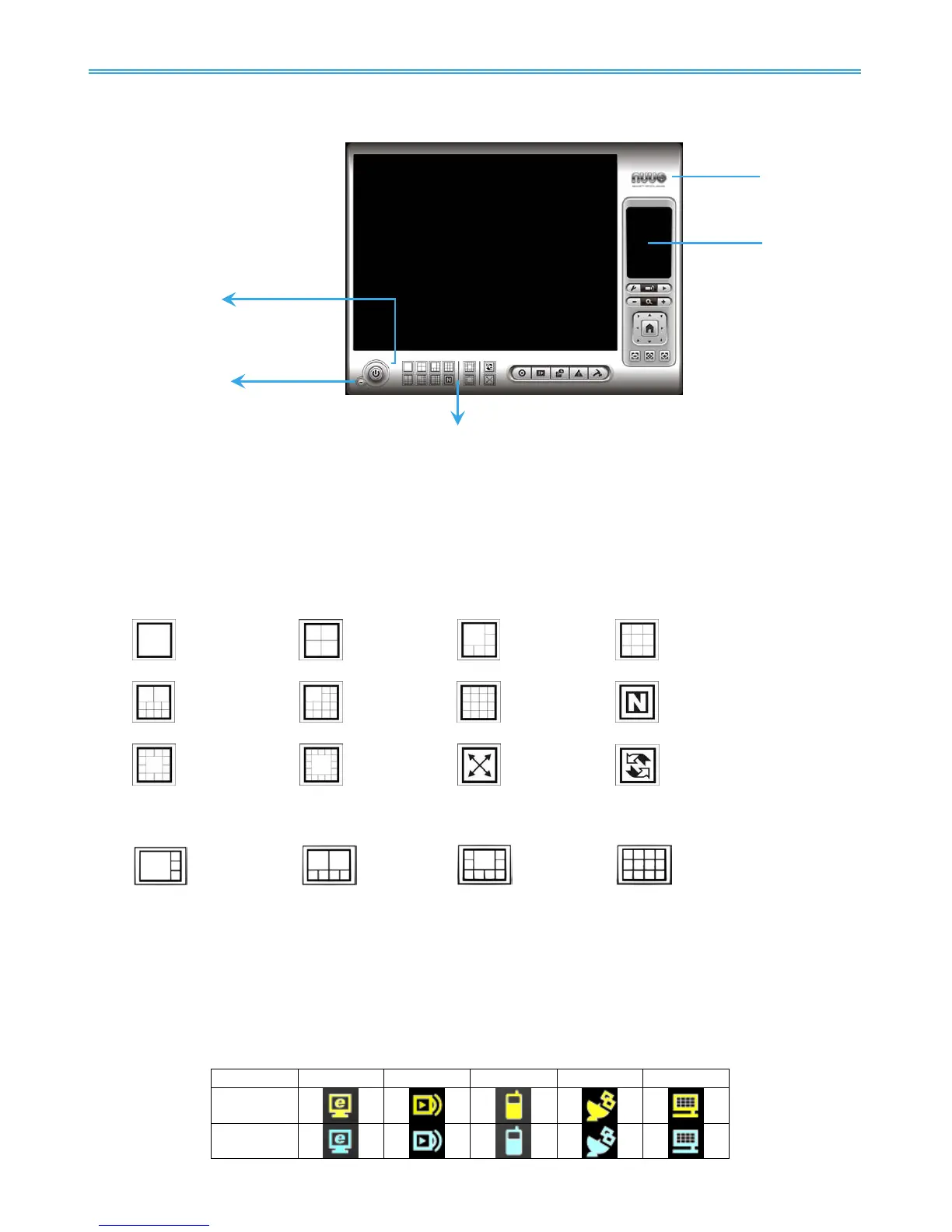
1.1 User Interface Overview
Exit:
Shut down the Surveillance System or log out current user.
Minimize:
Minimize the Main Console window.
Screen Division:
Allocate the sub-screen display by clicking on the desired layout icon. To switch to single camera
display, double click on a particular sub-screen. Double click on the screen again to regain previous
screen division layout.
Only available under wide screen resolution(1440x900, 1680x1050, 1920x1080, 1920x1200):
Crystal Ball
Indicate the working status of the system. Gray – at rest, Blue - recording, and Red – events detected.
When the crystal ball is red, click it to open the event report then cancel the event(s).
Information Window
Display date, time, free Disk space, IP Camera Bit rate customized text and Further information like
Temperature, Fan speed, System Resource and Network Utilization.
5 network service icons indicate which services are switched on/off.



 To Next Page