The Intelligent Surveillance Solution
NUUO NVR/DVR/Hybrid NDVR System
- 37 -
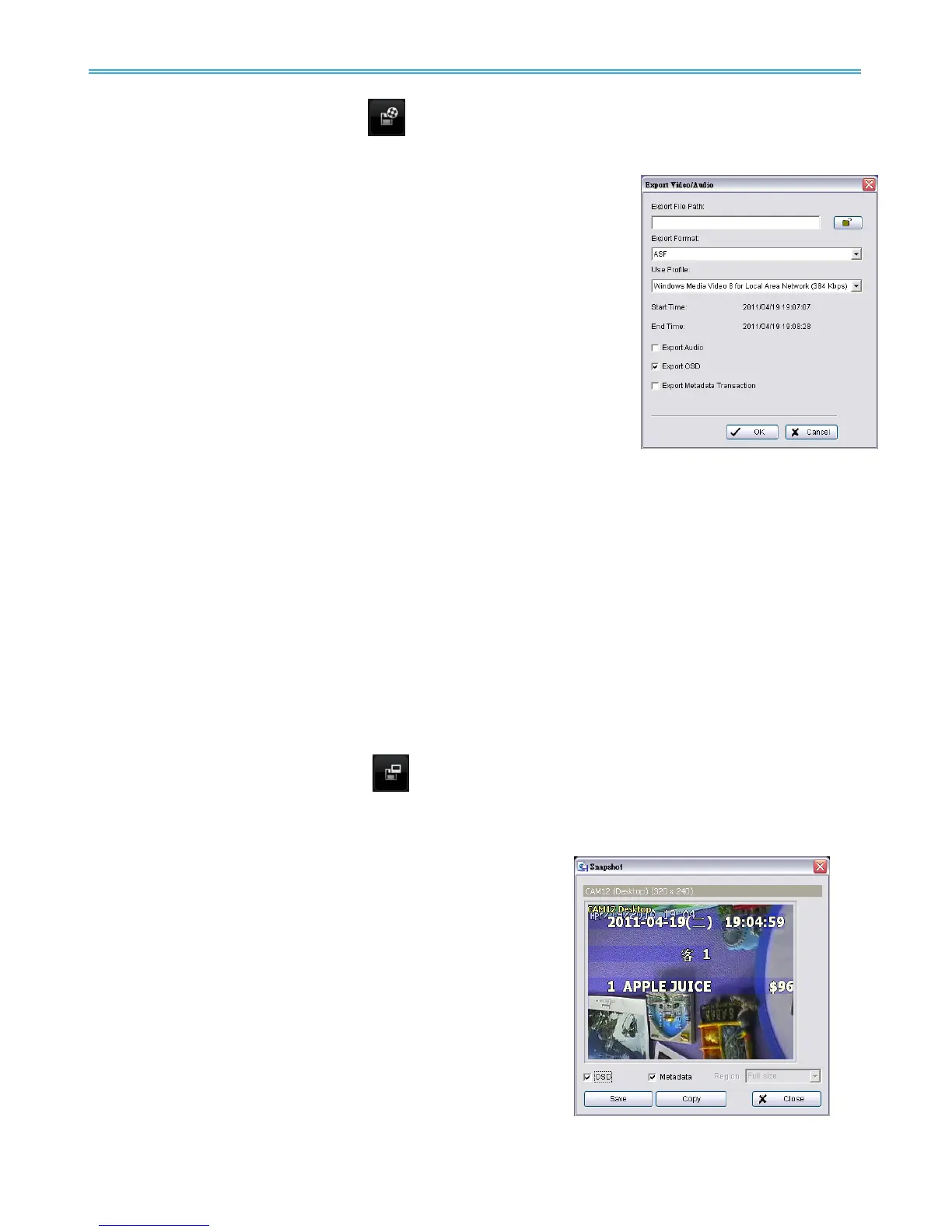
Step 3: Click on the Save Video button , choose the folder where you want to save the file at, enter the
file name and click SAVE.
Step 4: Set the Export Format (ASF recommend) and set the Use Profile.
ASF – more efficient than AVI format. [Recommended format]
AVI (Microsoft Video 1) – Supports Windows Media Player with
Vista & XP, quality may be poorer than recorded video by
transcode process.
AVI (Original Format) - Faster export process with high quality video,
but the export files can only be viewed using VLC Player to play.
(For Windows Media Player, please install additional FFDShow
codec).
Note:
The restrictions of AVI format:
a.
The maximum size of an AVI file is limited to 4 GB.
b.
Variation of frame rate will cause the resulting video to play slower or faster.
If the selected video sequence uses multiple image resolutions (CIF, 2CIF, 4CIF, etc.)
or multiple
video format (MPEG-4, M-JPEG, H.264), the exported video sequence will create separate export
files every time the resolution changes.
Step 5: Select to export (i.e. save) the recorded video with Audio, OSD and metadata, or export video only.
Step 6: Click OK to save the video.
2.6 Save Image
Step 1: Click on the display screen to choose the camera display from which you want to save pictures.
Step 2: Click on the Save Image button
when the image you want is shown on the screen. You may
click Pause to freeze the video, use Step Forward/
Step Backward function to find the picture(s) that
you want to save.
Step 3: Select OSD option and metadata option to export the
image with date/time, camera number/name and
metadata text. If the digital PTZ function is enabled in
display view, you can also decide either Full size or
Selected Region as your image region.
Step 4: You have the options to copy the image to clipboard or to
save it. To save image just choose the folder and the
format of image (BMP or JPEG) you prefer and then click
save.
Note: You may skip step 3 by pre-setting a folder and
format that you want to save the images (refer the
section automatically save the image file at page
43.)



 To Next Page