The Intelligent Surveillance Solution
NUUO NVR/DVR/Hybrid NDVR System
- 42 -
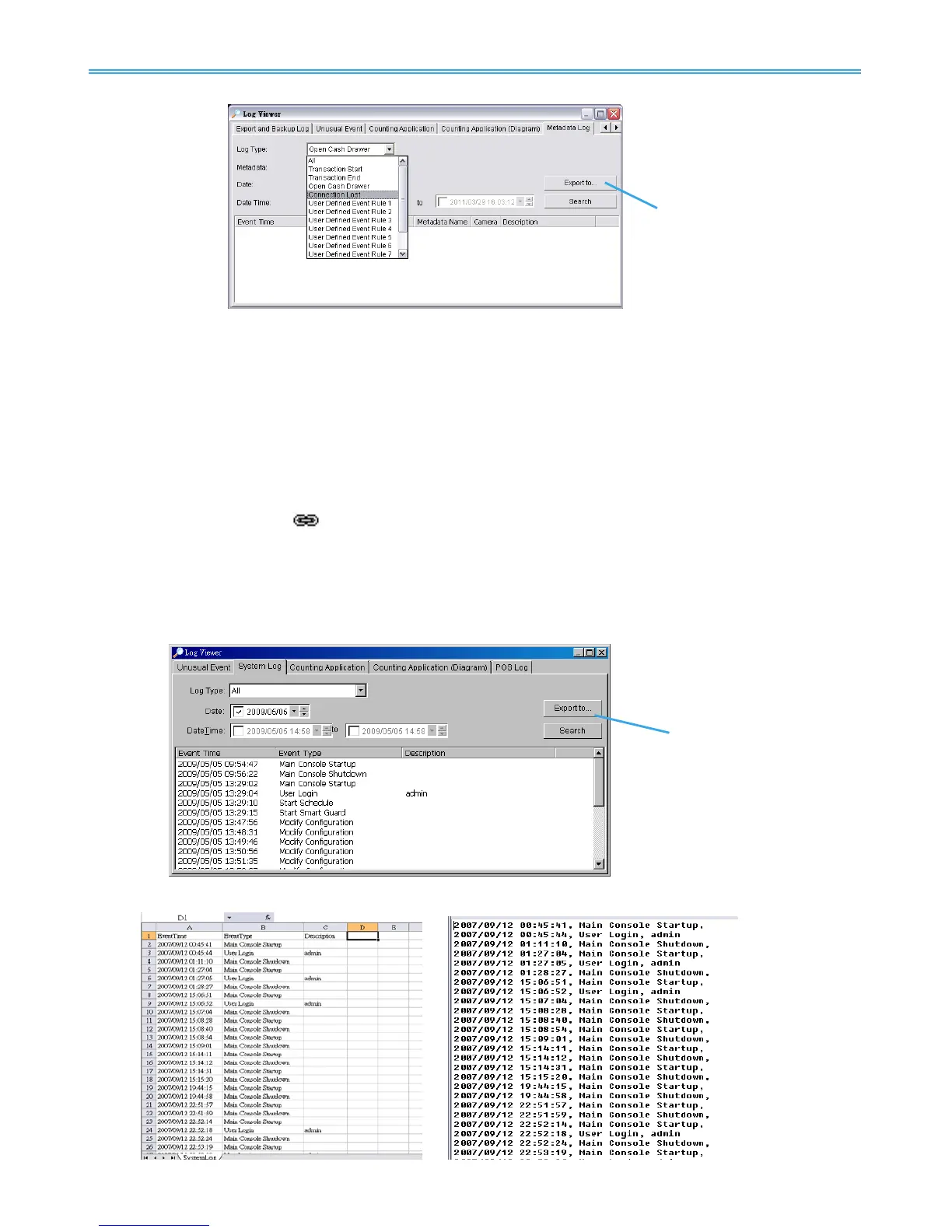
Step1: Choose the type of events you wish to view or select All from the drop-down menu to view all types of
events. The types of Unusual Event include Transaction Start, Transaction End, Open Cash Register,
Connection Lost, and Special User Defined Event. Please refer to the User manual of Metadata
Plugins for detail.
Step 2: Choose the camera channel you wish to view or select All for all the channels available.
Step 3: View the events that happened on a particular date or during a given time period by selecting
search period.
For a particular date: check the Date box and indicate the date.
For a period: check the DateTime and then enter a specific date
and time.
Step 4: Click Search. A link (
) will appear next to each event time where video is available.
By clicking on the link, the video will jump to the point where the unusual event takes place.
Step 5: Press the button Export to.
Step 6: Type the file name and choose the file format (.xls or .txt).
2.9.7 Export
You may export the file to .xls or .txt file
Step1: Select Export to.
Step2: Type the file name and choose the file format, .xls or .txt.



 To Next Page