The Intelligent Surveillance Solution
NUUO NVR/DVR/Hybrid NDVR System
- 53 -
4.1 Event
There are 4 sources of events: Camera (video image), metadata, Digital Input (device connected to your
PC) and System (condition of your hardware). You can assign multiple events by following the instructions
below.
* Note: Some event types will not be available under NUUO NVR Lite License.
4.1.1 Camera Event - Assign a Camera Event
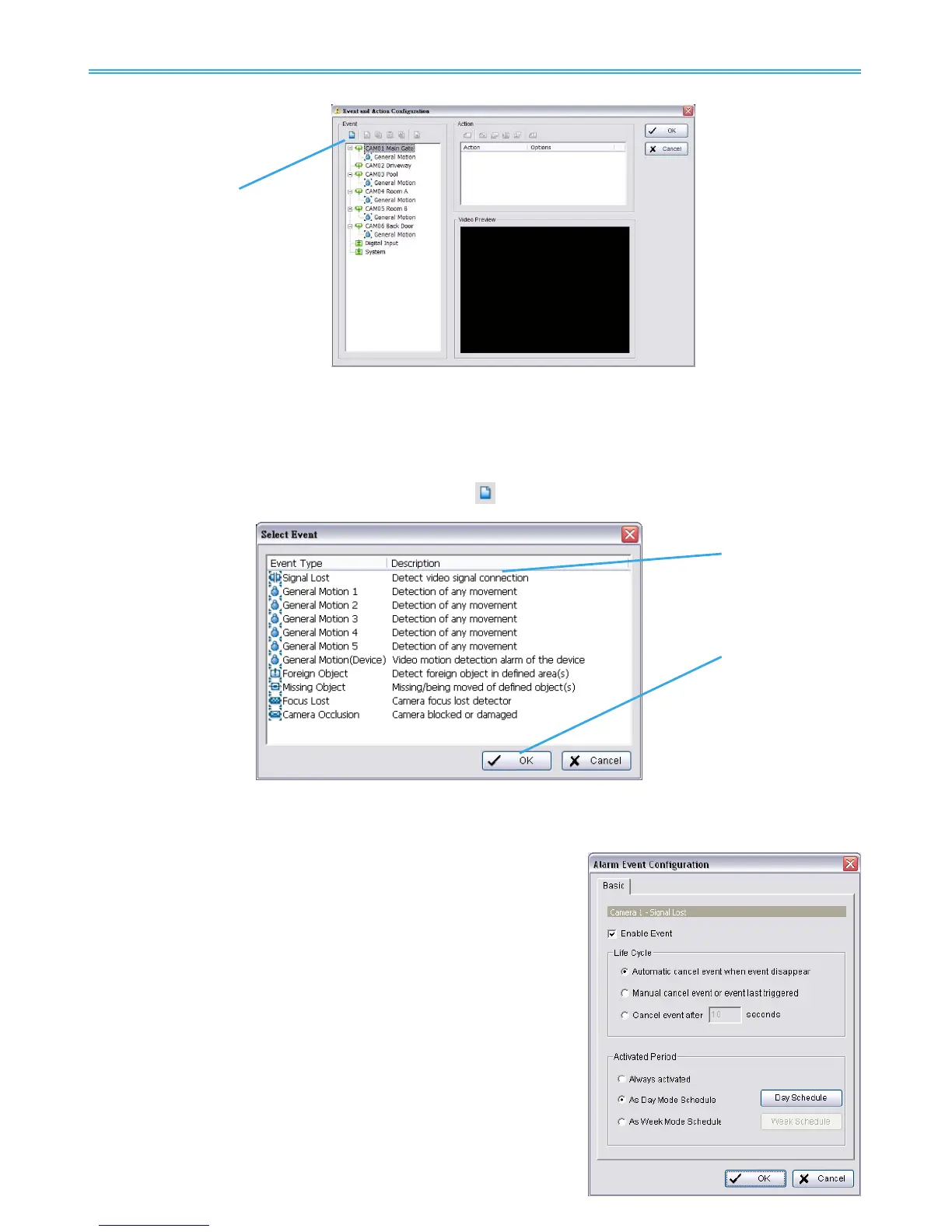
Step 1: Select a camera and click “Insert Event” icon
. .
Step 2: There are six types of events: Signal Lost, General Motion, Foreign Object, Missing Object, Focus Lost,
and Camera Occlusion. Select the event you want on the Event Type list, and then click OK.
* Note: Only General Motion and Signal Lost are supported under NUUO NVR Lite License.
Step 3: Configure the Event Type. See the following instructions.
4.1.2 Camera Event – Basic Setting
[Signal Lost, General Motion, Foreign Object, Missing Object,
Focus Lost, and Camera Occlusion]
Enable Event: Check the box to activate the event.
Life Cycle:
Automatic cancel event when event disappears: The
alarm/action will be cancelled once the event is fixed or
ended.
Manually cancel event or event last triggered: The
alarm/action will remain until being cancelled from Main
Console. Choose this option to avoiding missing any alarms.
Note: To cancel the event:
Method 1: Start > Open Event Report > Cancel All Events
Method 2 : Click the red crystal ball to obtain the Smart Guard
Event Report. Click to cancel the event(s).



 To Next Page