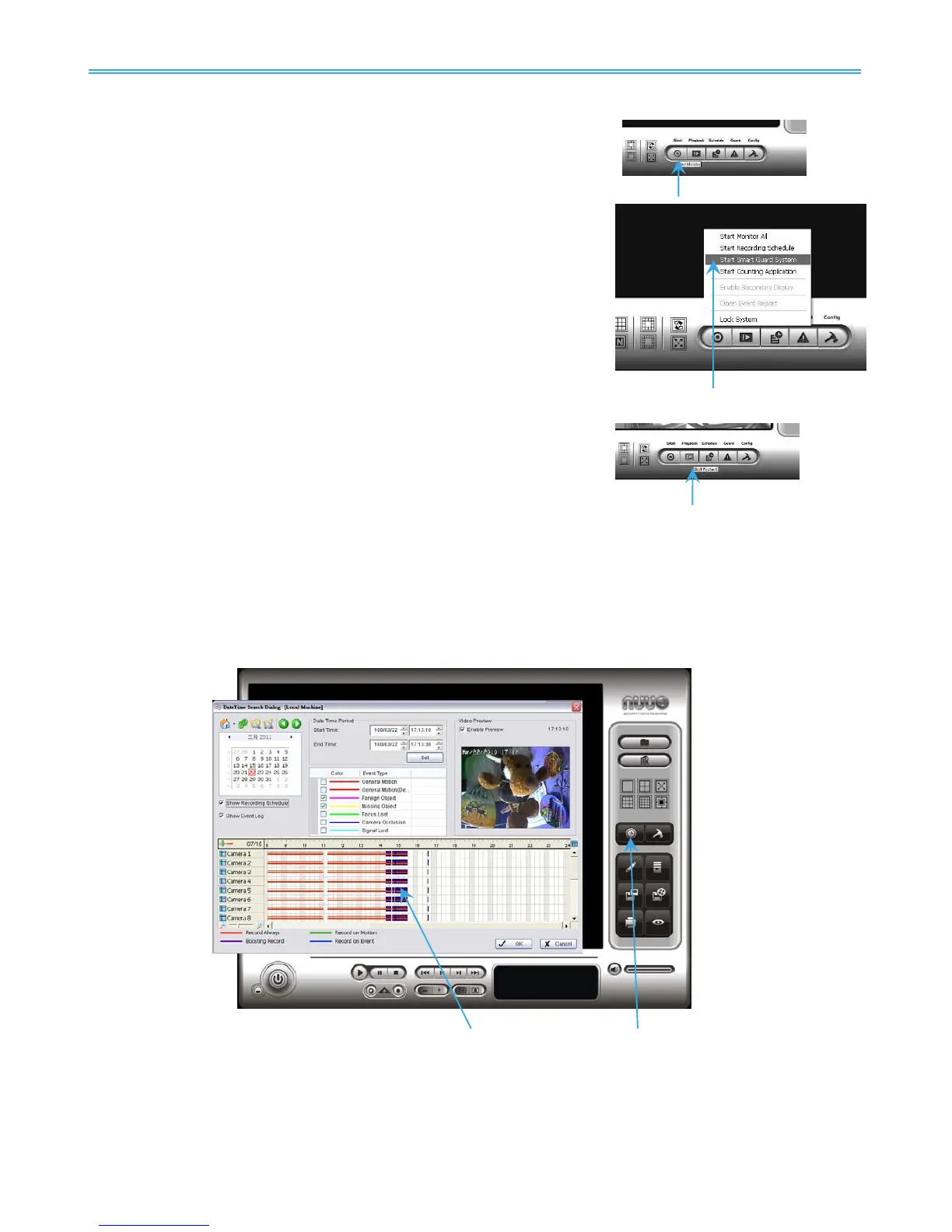
Start Recording & Smart Guard
Step 1: Execute Main Console.
Step 2: Type in user name and password and log in the system.
Step 3: Click on Start.
Step 4: Click on Start Recoding Schedule and Start Smart Guard System
to enable the two functions.
Playback
Step 1: Execute Main Console.
Step 2: Type in user name and password and log in the system.
Step 3: Click on Playback.
Step 4: In Playback, click on Date Time Search Dialog.
Step 5: Select a specific day from the calendar, left click on mouse and drag to select a video clip to replay;
user can also select multiple channels to replay at the same time.
Step 6: The recorded files are now ready to view.



 To Next Page