The Intelligent Surveillance Solution
NUUO NVR/DVR/Hybrid NDVR System
- 123 -
1.3 Advanced Resource Report
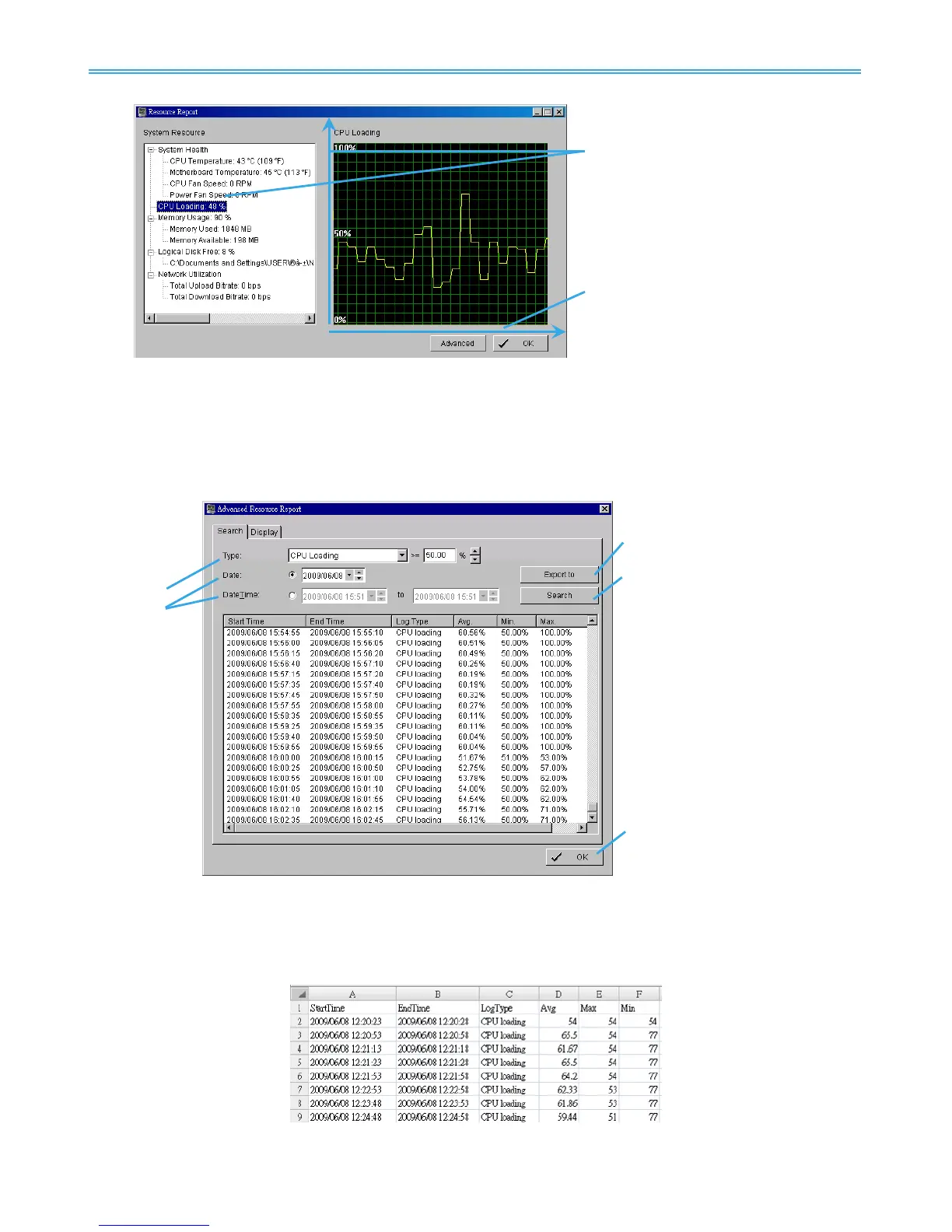
Click the Advanced button to search and export system logs in “Search” tab and obtain the history diagram
of an specified period in “Diagram” tab.
1.3.1 Search
Step 1: Choose the system event type, and then select the standard percentage to search system log.
Step 2: Select the Date/Time duration to search system log.
Step 3: Click Search to start searching, the system logs will be listed below.
Step 4: Click Export to to save the system log in (*.xls) or (*.txt) format.
Step 5: Click OK to close the report window.



 To Next Page