The Intelligent Surveillance Solution
NUUO NVR/DVR/Hybrid NDVR System
- 41 -
2.9.4 Counting Application
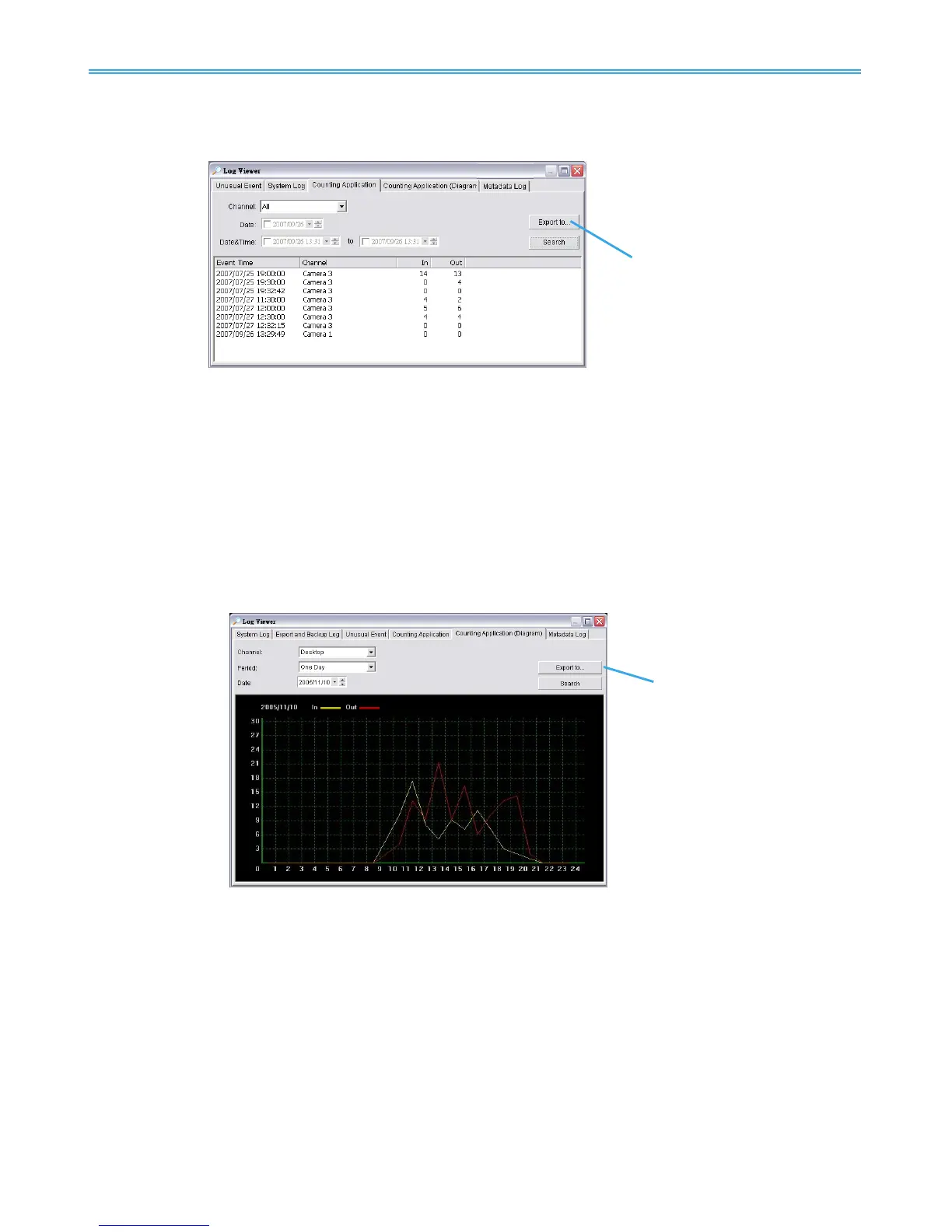
Display the history of Counting Application during a given time period.
* This feature is not available under NUUO NVR Lite License.
Step1: Select the channel you want to check or select All from the drop-down menu for all channels.
Step 2: Select search period. View the events that happened on a particular date or during a given time
period by selecting search period.
For a particular date: check the Date box right and indicate the date.
For a period: check the DateTime and then enter the date and time.
Step 3: Click Search.
Step 4: Press the button Export to.
Step 5: Type the file name and choose the file format (.xls or .txt).
2.9.5 Counting Application (Diagram)
Display the Counting Application data in diagram format.
* not available under NUUO NVR Lite License
Step1: Select the channel you want to check or select All from the drop-down menu for all channels.
Step 2: From the drop-down menu, set up how you would like the diagram to be displayed. You have the
options of one day, one month, or one year.
Step 3: Select a specific date to make it the start point of the diagram.
Step 4: Click Search.
Step 5: Press the button Export to.
Step 6: Type the file name and the file will save as BMP files.
2.9.6 Metadata Log
View Metadata Log history detected by the Smart Guard System.
* not available under NUUO NVR Lite License



 To Next Page