The Intelligent Surveillance Solution
NUUO NVR/DVR/Hybrid NDVR System
- 59 -
Step 3: Configure the setting of the Event Type. For details please refer to the user manual of metadata
plugins.
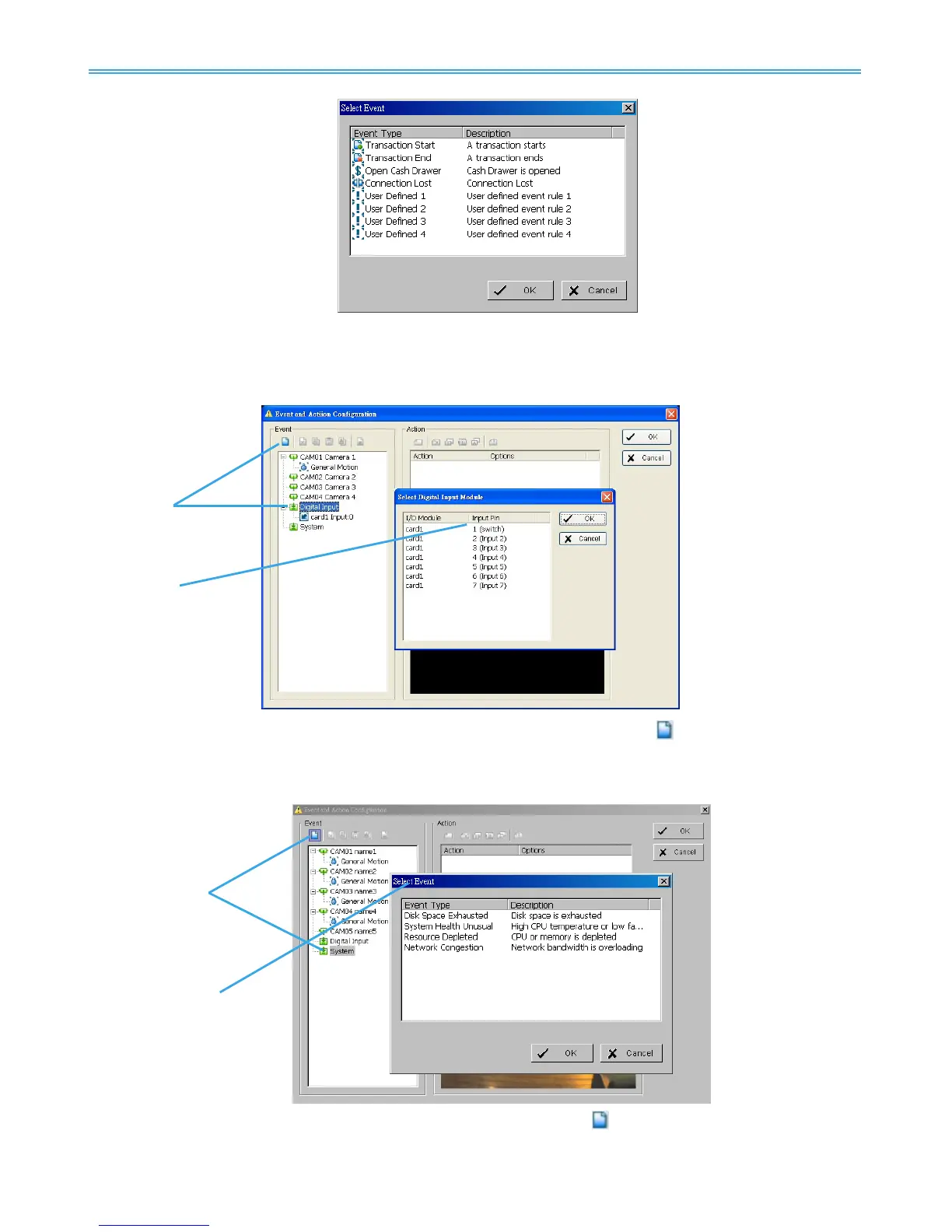
4.1.11 Digital Input Event - Digital Input Event
Step 1
Step 2
Step 1: Click and highlight Digital Input on the event type list, and then click the Insert Event icon.
Step 2: Select the device that is connected to your system.
4.1.12 System Event - Assign a System Event
Step 1
Step 2
Step 1: Click and highlight System on the event type list, and click the Insert Event icon.
Step 2: There are four events, select the event you want to detect.



 To Next Page