The Intelligent Surveillance Solution
NUUO NVR/DVR/Hybrid NDVR System
- 55 -
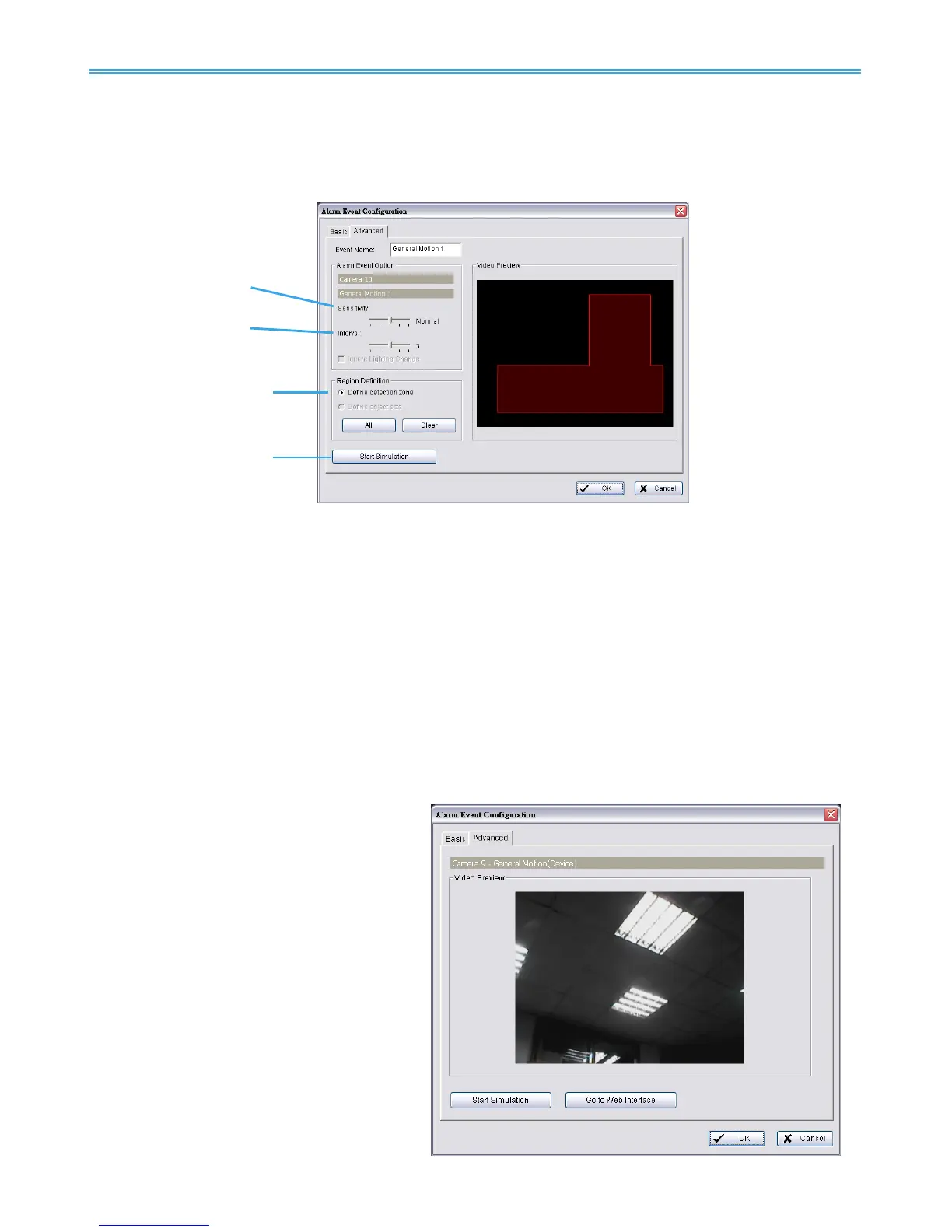
4.1.4 Camera Event - General Motion
- Detect any movement in the defined detection zone.
For each video channel you may define up to 5 motion detection profiles (General Motion 1-5).
This will allow you to set different sensitivity levels for different regions in the same video.
Event Name: Customize your event name here.
Alarm Event Option:
Sensitivity: Click and move the slider control to the right to increase sensitivity so that minimal movement
will trigger the alarm. Move the bar to the left to reduce the sensitivity. Setting up an appropriate
sensitivity value will minimize false alarms. For example, you can lower the sensitivity to avoid the alarm
being triggered by a swinging tree in the breeze.
Interval: Click and move the slider control to the right to increase interval time so that the alarm will only
be triggered when the
movement lasts longer. Move to the left to reduce the interval
Region Definition:
Define detection zone: To detect General Motion, you have to define a detection zone. Left-click and
drag the mouse to draw a detection zone. You may define more than one zone on the screen by
repeating the same process. User can also click on “All” button to select the entire detection zone.
Start Simulation: Click the Start Simulation button and test the function on the preview screen.
4.1.5 Camera Event - General Motion (Device)
- Detect movement with motion
detectors of devices (IP cameras or video
servers).
* Note: This function is only available on
devices with built-in motion detection.
Please refer to the user manual of your device
to set up motion detection.
Start Simulation
Click to test if motion detection is set up
correctly.
Go to Web Interface
Click to go directly to device web page
for configurations.



 To Next Page