Right click on the camera screen for the on screen menu. Here you will be able to quickly adjust settings of
your camera.
1.5 Instant Playback
* Not available under NUUO NVR Lite License
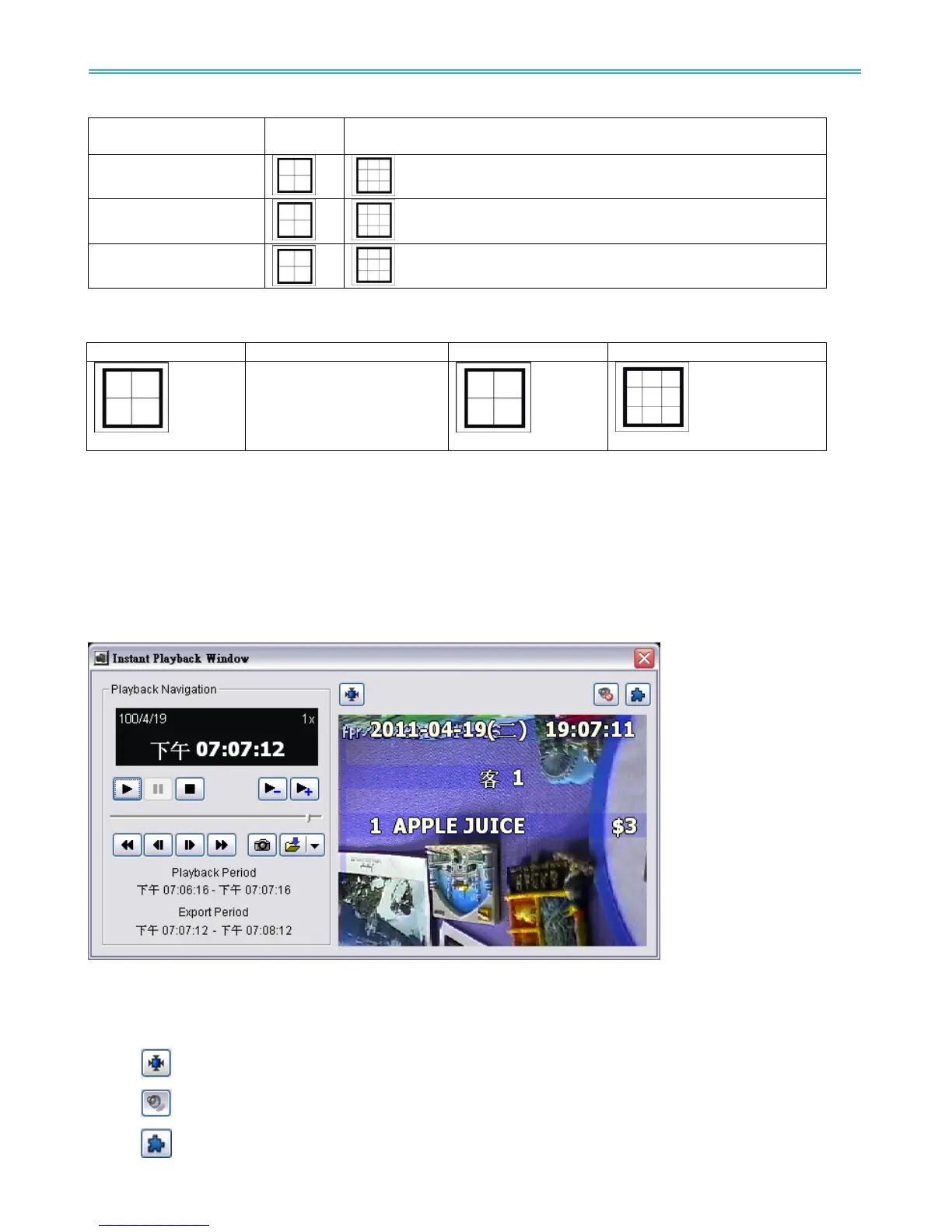
NUUO Instant Playback function allows you to play the last few minutes of any live video channel. Simply
right click on Live Channel and select Instant Playback to access the recorded video.
1.5.1 Instant Playback window overview
Information Window: will show correct date and time of video.
Playback Period: indicates the available play period; three options are available: 1min, 3 min, or 5 min of
video.
Export Period: indicates the period of video you desire to export. Default is set as available play period.
Tool:
Adjust to original video resolution button: Press to adjust the video to original video resolution.
Audio button: Press to turn on / off the audio.
Metadata button: Press to enable / disable metadata transaction data overlay.



 To Next Page