The Intelligent Surveillance Solution
NUUO NVR/DVR/Hybrid NDVR System
- 84 -
5.15 Video Analytics – Privacy Mask
Mask your video with dark areas to protect your privacy.
To access this page, login with admin account or user account with privilege of configuring main system.
* Note: This function is not available under NUUO NVR Lite license.
Privacy mask settings will apply to local and remote live view, web live view, local playback, remote
playback and web playback.
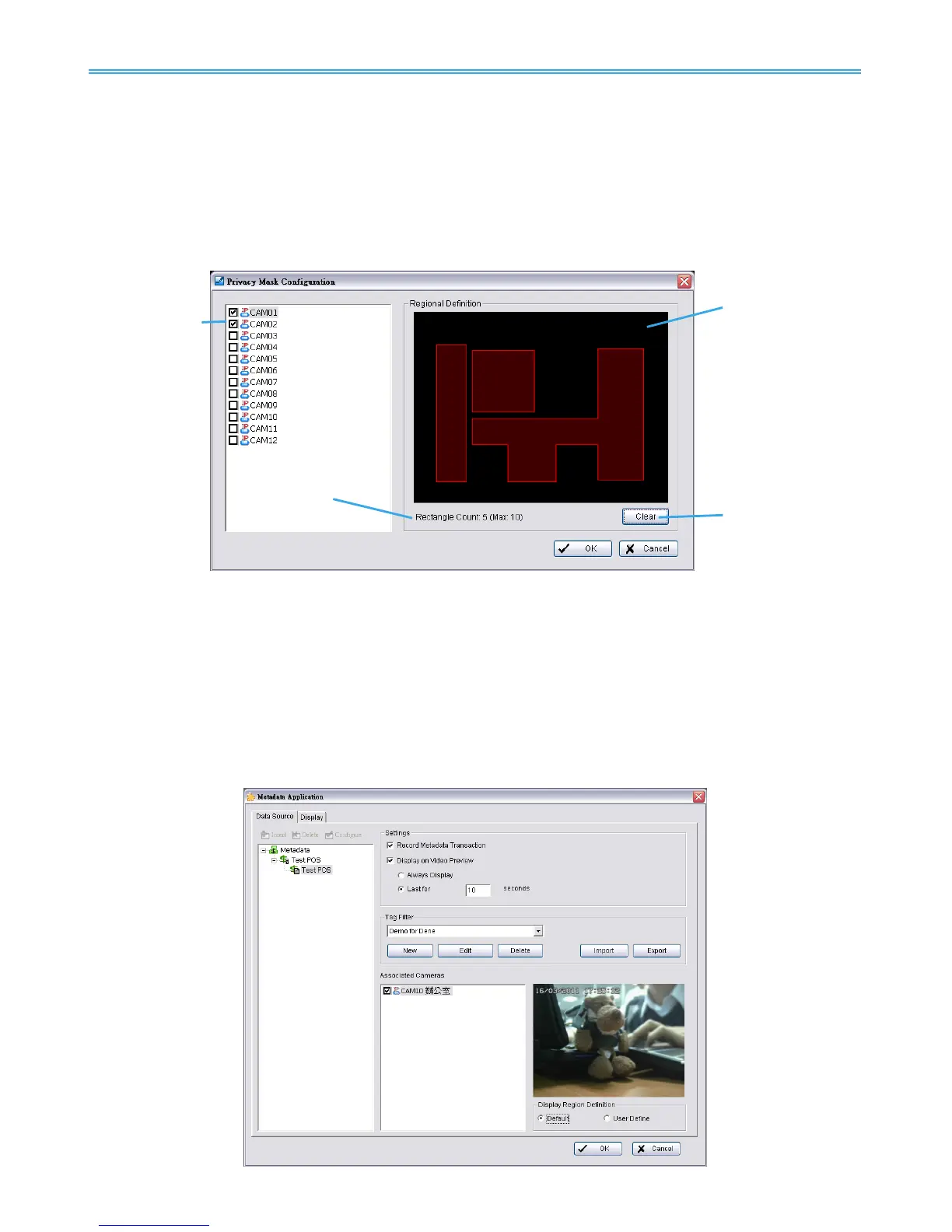
Camera List: Check cameras to enable privacy mask.
Regional Definition: Click and drag to define privacy masked areas.
Rectangle Count: Maximum 10 rectangles can be drawn to define privacy masked areas.
Clear: Click to clear all rectangles.
5.16 Metadata Application
* Note: This function is not available under NUUO NVR Lite license.
The Metadata application now supports three different data types, including POS, LPR and access control.
This tool can be used to configure these devices. Note that you will need additional licenses to use these
features. Instructions on license activation can be found on page 118. Refer to the Metadata User Manual
for more details.



 To Next Page