The Intelligent Surveillance Solution
NUUO NVR/DVR/Hybrid NDVR System
- 39 -
2.9 Log Viewer
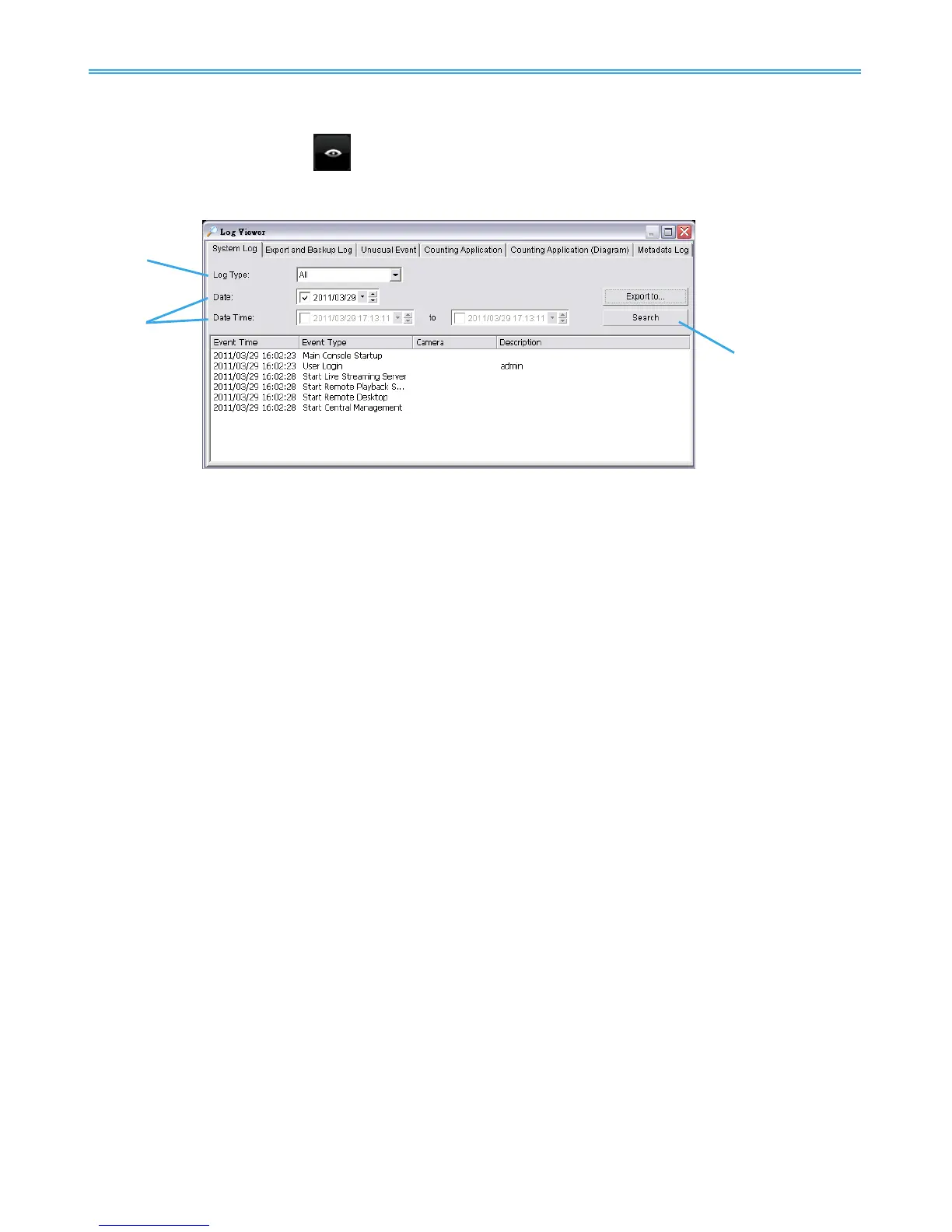
Click on the Log Viewer button to activate the Log Viewer dialog.
2.9.1 System Log
Select Log Type from the drop-down menu. There are in total 36 types of log types, including:
* Note: Some event types will not be available under NUUO NVR Lite License.
Step1: Choose the type of event you want to check or select “All” from the drop-down menu for all types of
events.
Step 2: View the events that happened on a particular date or during a given time period by selecting
search period.
For a particular date: check the Date box and indicate the date.
For a period: check the DateTime and then enter specific date and time.
Step 3: Click Search.
Main Console Startup
Main Console Shutdown
User Login
User Login Failed
Start Schedule
Stop Schedule
Execute Recycle
Enable Channel
Disable Channel
Start Smart Guard
Stop Smart Guard
Modify Smart Guard
Modify Schedule
Modify Configuration
Start Live Streaming Server
Stop Live Streaming Server
Modify Live Streaming Server
Start Remote Playback Server
Modify Remote Playback Server
IP Camera Connection Lost
IP Camera Connection Regained
IP Camera Parameter Changed
Auto Restart Windows
Modify Metadata Setting
Metadata Connection Lost
Modify E-Map
Start Remote Desktop
Stop Remote Desktop
Modify Remote Desktop
Start Central Management
Stop Central Management
Modify Central Management
Start Counting Application
Stop Counting Application
IP Camera Connection Regained
Sync. Microsoft Active Directory User



 To Next Page