The Intelligent Surveillance Solution
NUUO NVR/DVR/Hybrid NDVR System
- 52 -
4. Guard
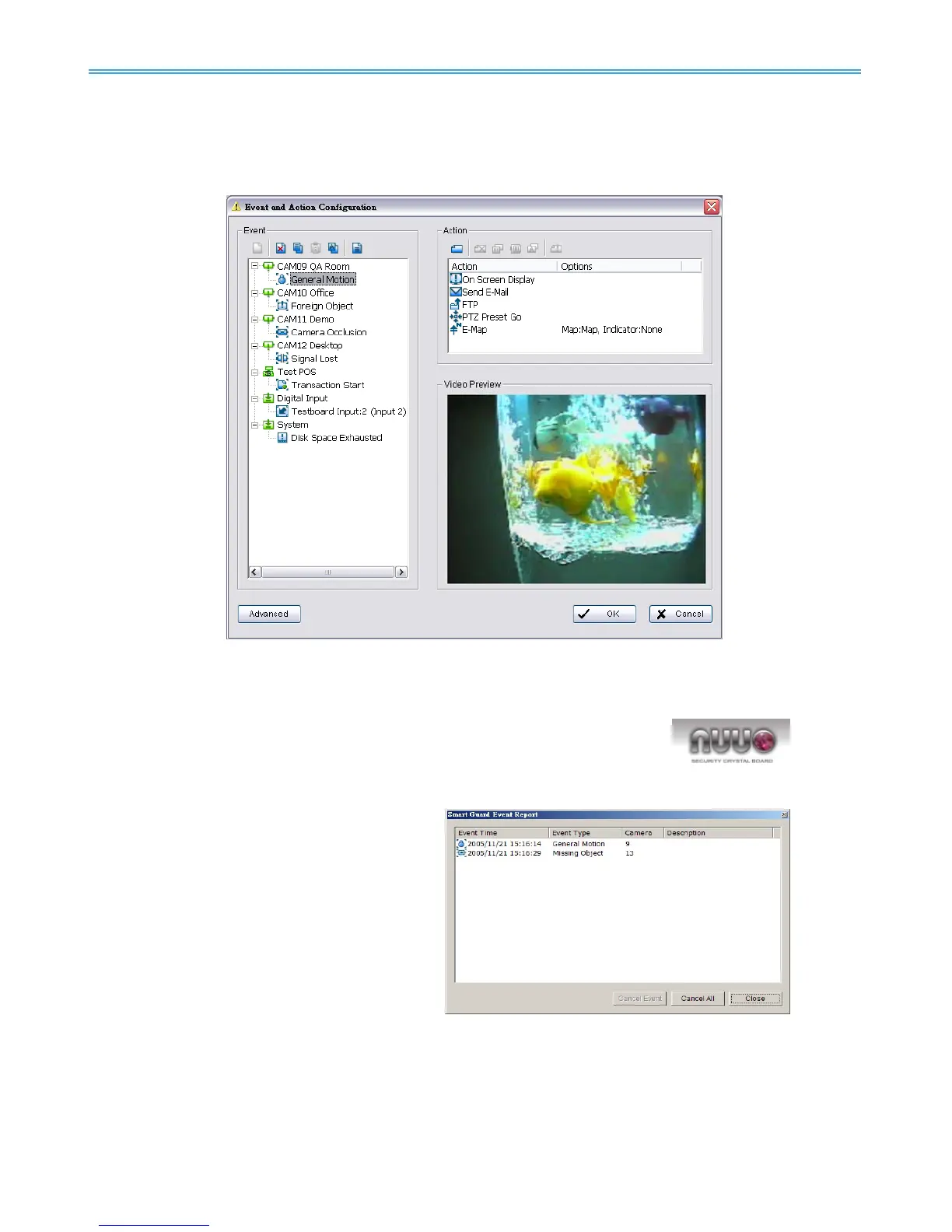
Click on the Guard button on the Main Console to start the “Event and Action Configuration” panel. You will
need to specify an event to be detected as well as set the appropriate action for the system when the
event occurs.
Note:
1. Crystal Ball: Indicates the working status of the system. A blue
crystal
ball shows when the system is recording; it will turn red when an event
is detected.
2. Event Report: When the crystal ball is
red, you can click it to obtain the
Smart Guard Event Report and
cancel the event(s).



 To Next Page