The Intelligent Surveillance Solution
NUUO NVR/DVR/Hybrid NDVR System
- 63 -
Step 2: Select devices to be triggered by event.
Step 3: Click on the Life Cycle box of each device to configure the life cycle of each triggered alarm.
The alarm may terminate when the event disappears, 10/30/60 seconds after trigger, or require a
manual cancel. Note that you may also customize a timer by simply inserting a number in the box.
Step 4: You can enable the Automatically Popup I/O Control Panel check box to obtain the correspondent
panel to monitor the I/O status.
Note: You should adjust the setting of I/O device in Config>Setting>I/O Device first, the I/O control
panel will display the device status based on it. You can also adjust the size of the panel by dragging
a mouse or click the
on the right top of the display window.
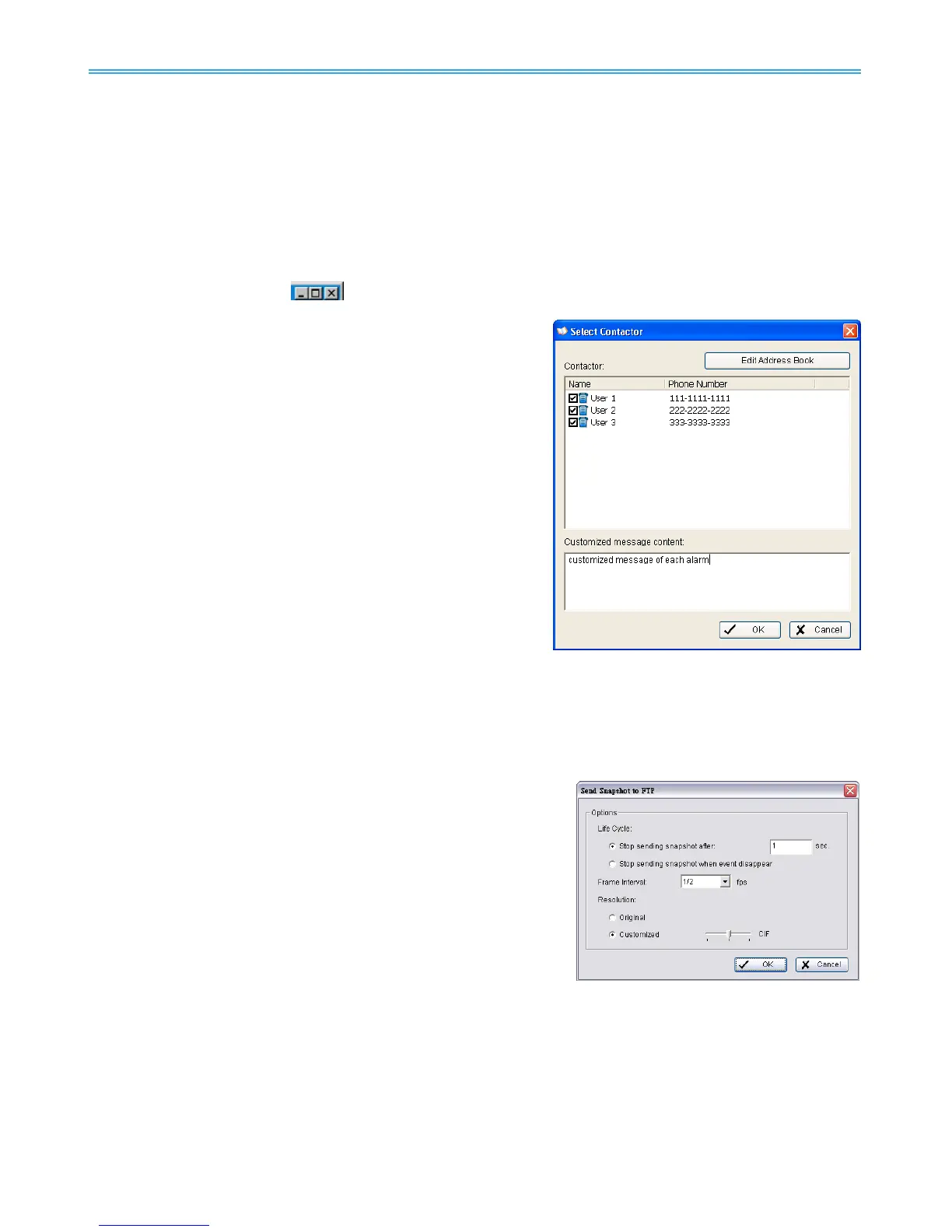
4.2.8 Action Type –Send an SMS message
The system will send an SMS message immediately to
given accounts indicating the type and time of
event.
* Note: This function is not available under NUUO NVR Lite
License.
Step 1: Select the “Send a SMS message” action and then click
OK.
Step 2: The responding windows will popup to Select Contactor
(You can choose one or more contacts). Click the
“Send an SMS message” indicator to modify the setting.
Note: To configure a GSM modem for the system, go to
Config - Setup - Hotline. See Configuration at page 74.
4.2.9 Action Type – Send to Central Server
This action will send an event and snapshot to NUUO’s Central Management Server (separate software
package, not included).
* Note: This function is not available under NUUO NVR Lite License.
Step 1: Select the “Send to Central Server” action and then click OK.
Note: Please refer to the CMS user manual for details on using the Central Management System.
4.2.10 Action Type – Send snapshot to FTP
The system will upload a snapshot immediately to FTP site.
* Note: This function is not available under NUUO NVR Lite License.
Step 1: Select the “Send snapshot to FTP” action and then click OK.
Step 2: Configure options.
Life Cycle: Configure the system to stop sending snapshots
after ___ seconds, or when the event is terminated.
Frame Interval: Define the frequency of snapshots.
- Minimum is 1/60 fps (1 snapshot per 60 seconds)
- Maximum is 30fps (30 snapshots per second).
Resolution: Choose to keep snapshot in original resolution or compress to lower resolution.
Note:
1. For Digital Input Events, this warning action will send the snapshot of the associated camera.
Please refer to I/O settings for details.
2. To define an FTP server, go to Config > Setup > Hotline. See Configuration at page 74 for detail.



 To Next Page