The Intelligent Surveillance Solution
NUUO NVR/DVR/Hybrid NDVR System
- 112 -
original, PTZ mode, Quad mode and Perimeter mode. If the lens setting set as Quad, PTZ, or Perimeter mode,
the Enable Digital PTZ option would become Enable ImmerVision digital PTZ.
9.4.6 Fix Aspect Ratio
For some special camera resolution, user can enable Fix Aspect Ratio to view original ratio video, or disable
this option to stretch 3:4 to fit window.
9.4.6 Stream Profile
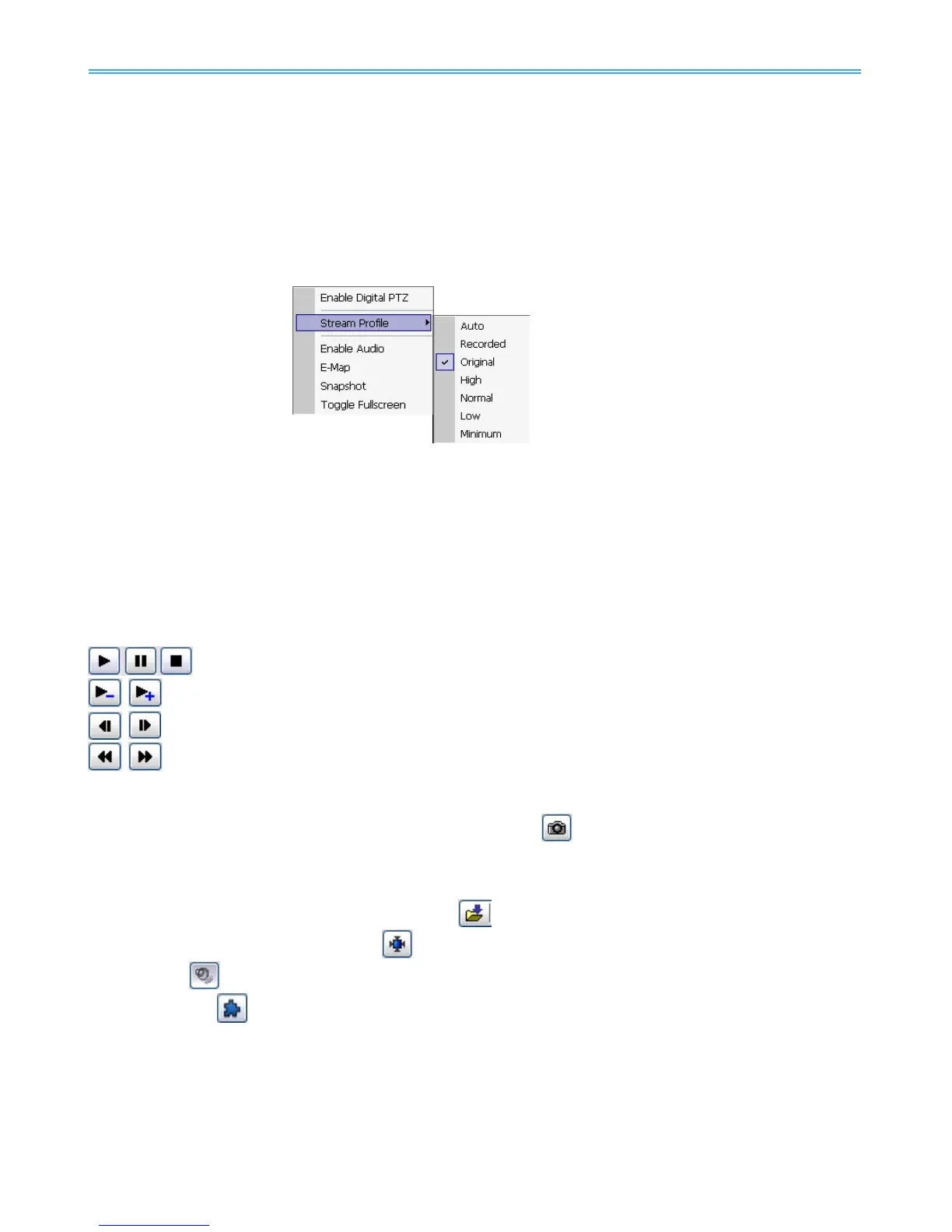
Select different level Stream Profiles to downgrade video quality for bandwidth concerns.
* Note: Some stream profiles are not available under NUUO NVR Lite license.
9.4.7 Instant Playback
To open the Instant Playback window of the camera, select the Instant Playback option and choose the
period. The instant playback window allows the user to browse recorded video, take snapshot images and
export video with audio and metadata transaction data.
* Note: This function is not available under NUUO NVR Lite license.
9.4.8 Duplicate Camera
Right click on any empty channel. You may duplicate cameras from any available servers here.
To browse recorded video
By simply clicking on the timeline you can view the video. Use the navigation tools below for advanced
control.
- Play / Pause / Stop
- Speed up/Speed down
- Fast Forward/reverse frame by frame
- Play Previous / Next minute video
To keep a snapshot of the video clip
Pause the video at desired time point and click snapshot button
. The snapshot is displayed and can be
saved or copied to clipboard.
To export recorded video
Select desired export period and click export button
. Additional options are available when exporting.
Adjust to original video resolution button
is the tool to adjust the video to original video resolution.
Audio button
turns the audio on / off.
Metadata button
is to enable / disable metadata transaction data overlay.
9.4.8 Snapshot
The snapshot function copies and captures a specific video image to the clipboard or to save as a bmp file.
The snapshot can be customized with/without OSD, metadata information and selectable range after digital
zoom in.
9.4.9 Toggle Full screen
Switch to view video with full screen display. To disable the function, right click on screen and de-select



 To Next Page