The Intelligent Surveillance Solution
NUUO NVR/DVR/Hybrid NDVR System
- 54 -
Cancel event after ___ seconds: Enable checkbox and set a timer for canceling the event after a
specific time.
Activated Period:
Always activated: Allow alarm to be activated at all times.
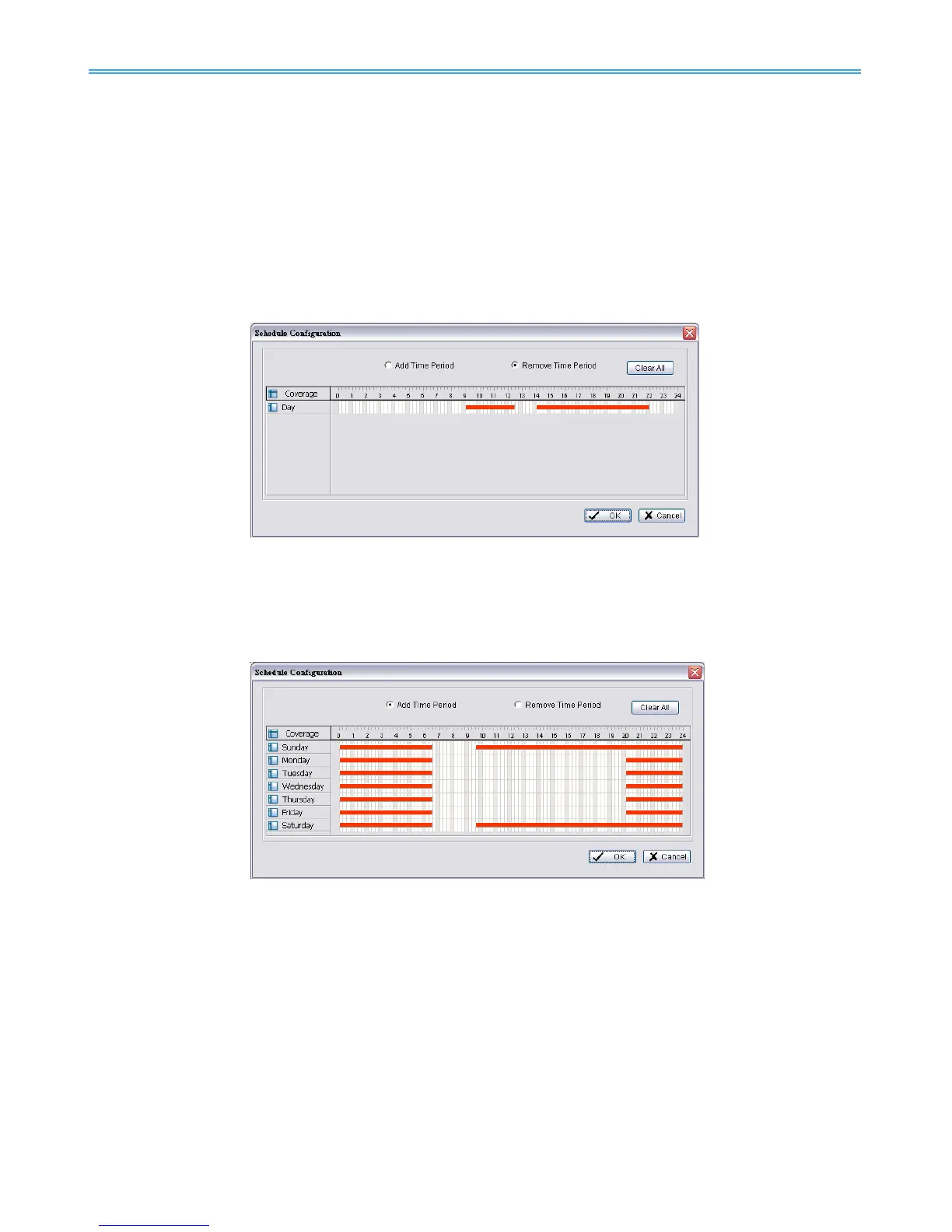
As Day Mode Schedule: Customize a specific time range for the alarm to be activated.
The alarm will be available daily according to your settings.
Click on Day Schedule to configure the schedule.
Choose Add Time Period and drag on the coverage bar to define an activated schedule.
Choose Remove Time Period and drag on the coverage bar to subtract from existing schedules.
Click on Clear All to remove all settings.
As Week Mode Schedule: Customize a weekly based time range for the alarm to be activated.
Click on Week Schedule to configure the schedule.
Choose Add Time Period and drag on the coverage bar to define an activated schedule.
Choose Remove Time Period and drag on the coverage bar to subtract from existing schedules.
Click on Clear All to remove all settings.
4.1.3 Camera Event - Signal Lost
Detect the loss of video signal from camera.



 To Next Page