The Intelligent Surveillance Solution
NUUO NVR/DVR/Hybrid NDVR System
- 66 -
5.1 System Setting – General
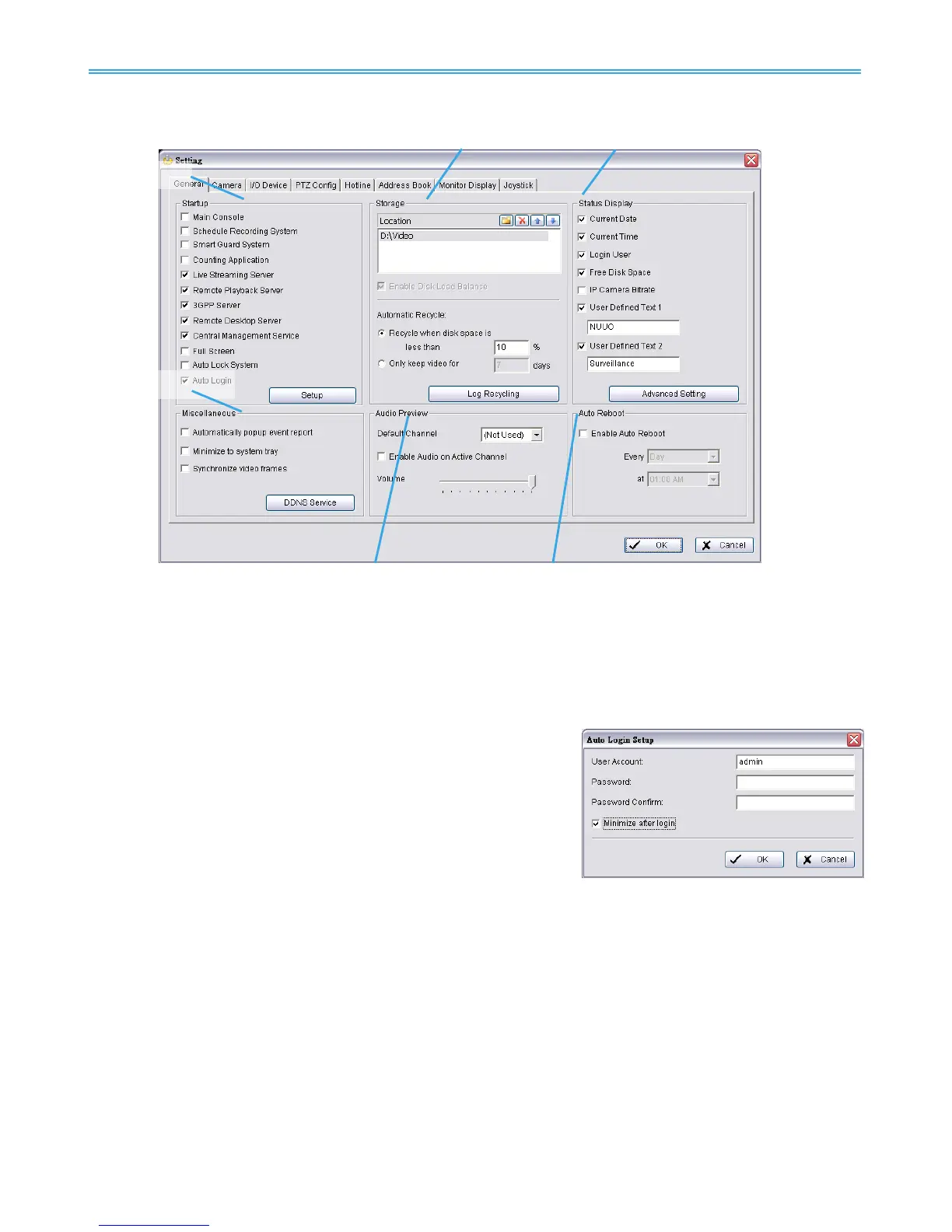
5.1.1 Startup
Check the Main Console box to execute Main Console system when windows startup.
Check the following 3 main functions and 5 network services to auto activate functions when Main Console
system is executing, including Schedule Recording System, Smart Guard System, Counting Application, Live
Streaming Server, Remote Desktop Server, 3GPP Server, Remote Desktop Server and Central Management
Service. Checking other options can setup the startup status as Full screen, auto lock system by startup or
allow system to auto login with the preset account.
Setup Auto login: Enable “Auto login” and click the Setup button to
obtain the Auto Login Setup panel, insert the User Account and
Password to login automatically when the system starts. Enable the
Minimize after login to minimize the Main Console window after
login.
5.1.2 Storage
Location: Assign the default folder (you can setup several directories for storage) for the system to store all
data files. Recommend not to save in system HD (C :\) to avoid PC efficiency drop when free storage is low.
If you have more than one drive available for recording, you may check “Enable Disk Load Balance” to
evenly distribute recording to multiple drives. This will increase efficiency of the system.
Automatic Recycle: The system will automatically delete out-dated data to save storage space.
Recycle when disk space is: Set the standard limit to let the system recycle automatically.
Less than _ %: The system will start to recycle if the disk space is less than the indicated percentage
(default is 10%).
Note:
1. The system will detect the storage space of default location firstly, if the default storage space is
exhausted, the video will be stored to the next directory.
2. If all the status of locations exceeds the storage rule, the system will start recycling in an hour
progress.



 To Next Page