The Intelligent Surveillance Solution
NUUO NVR/DVR/Hybrid NDVR System
- 44 -
2.11 Remote Server
2.11.1 Add Remote Playback Site
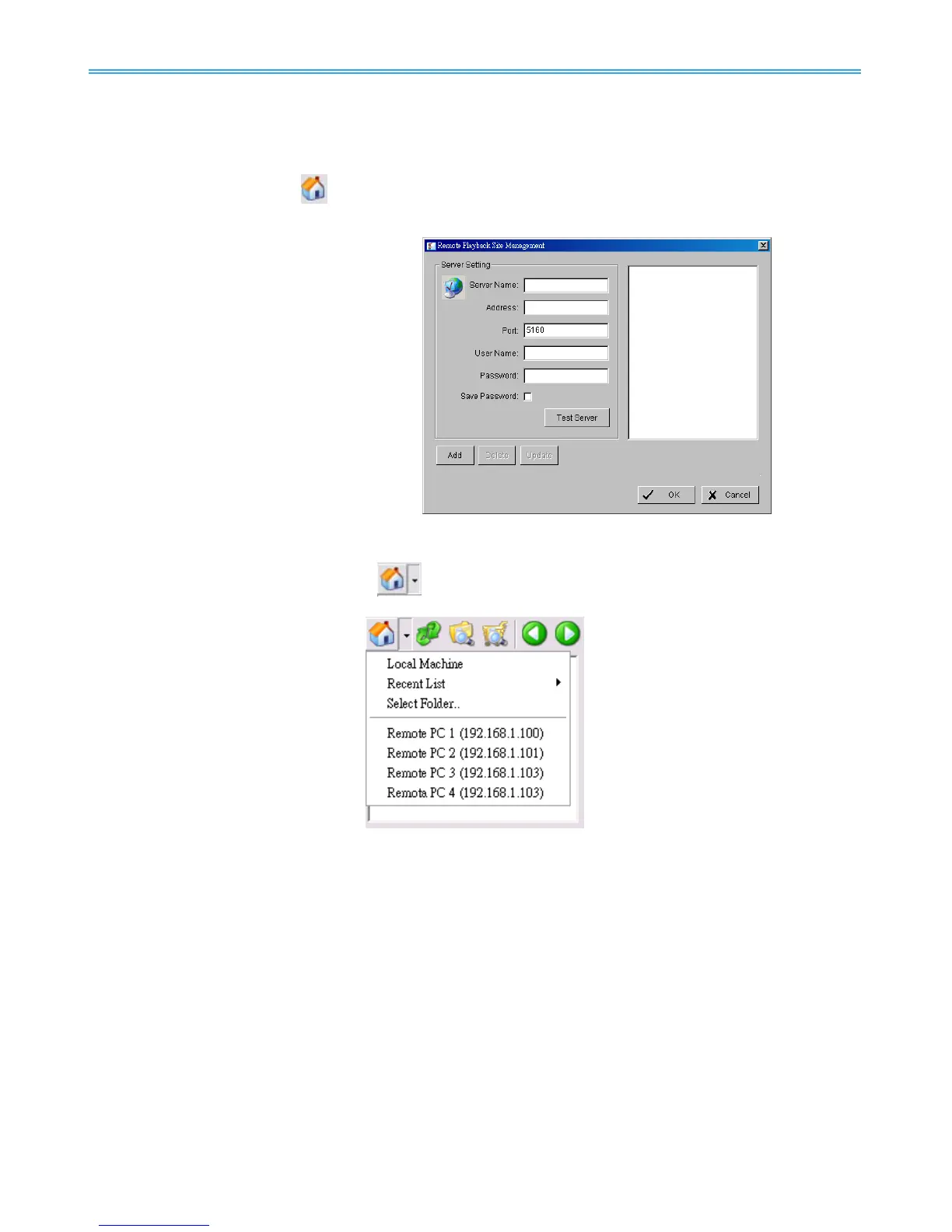
Press the Remote Server Icon
or go to setting – server to config remote playback site management to
add and setup remote playback sites.
Step 1: Enter the IP address or DNS, Port,
Username, and Password.
Step 2: Click Add to add the server.
Step 3: Click OK to exit the “Settings” panel.
2.11.2 Access Remote Playback Site
Go to Date Time Panel and click on the
icon on the top of the display window to access the
Remote Playback Site



 To Next Page