The Intelligent Surveillance Solution
NUUO NVR/DVR/Hybrid NDVR System
- 129 -
Appendix A - 3GPP Service
How to setup 3GPP streaming connection (using BenQ-Siemens mobile phones)
System Configuration
NUUO DVR / NVR server v2.6
Realtek RTL8168/8111 PCI-E
Windows XP Professional SP2
1.1 Configuration from NUUO server
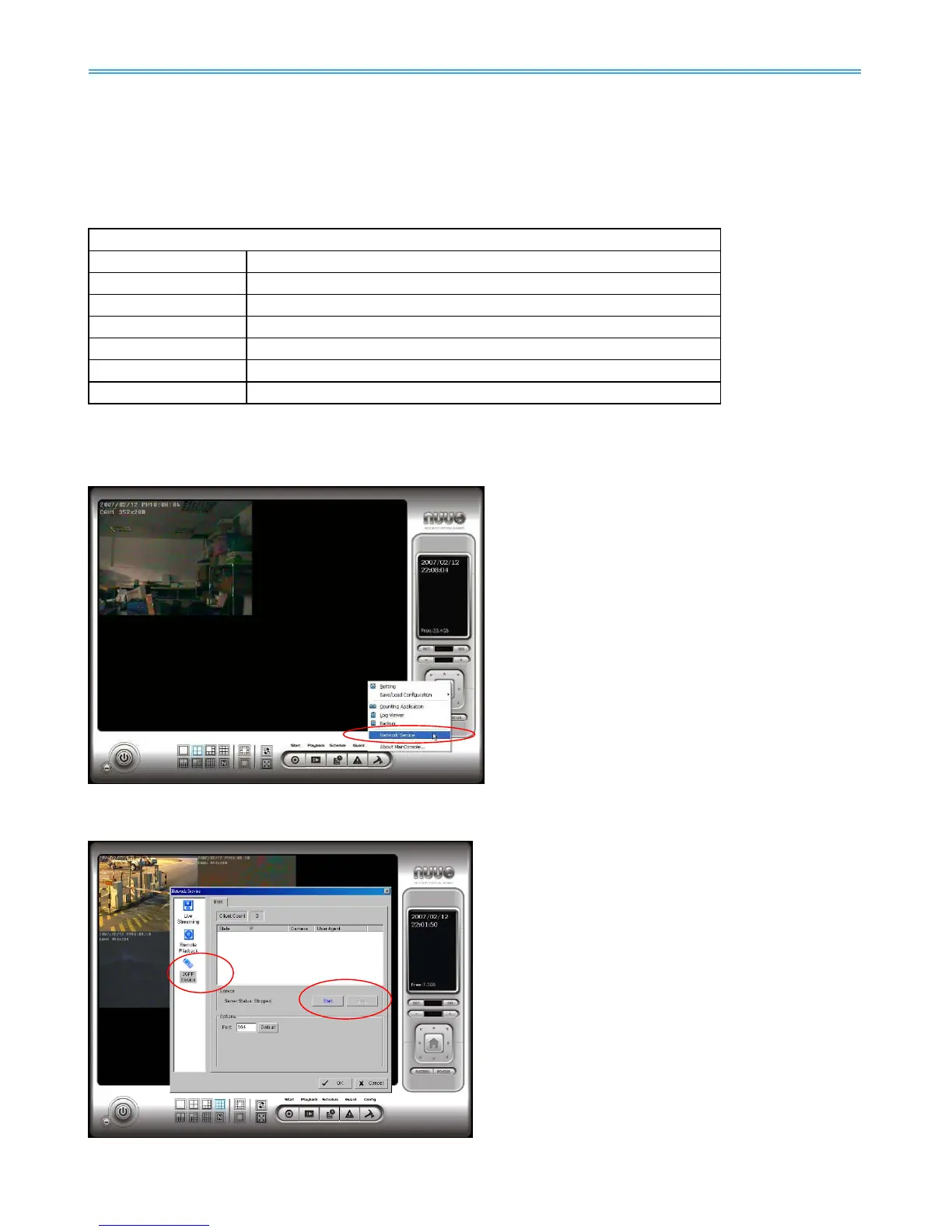
Step 1: Go to Config and select Network Service
Step 2: Select 3GPP Service, and then click Start
Note: In the Option item, the “port” selected here is the same port from mobile handset



 To Next Page