The Intelligent Surveillance Solution
NUUO NVR/DVR/Hybrid NDVR System
- 133 -
1.2.2 Execute and Login
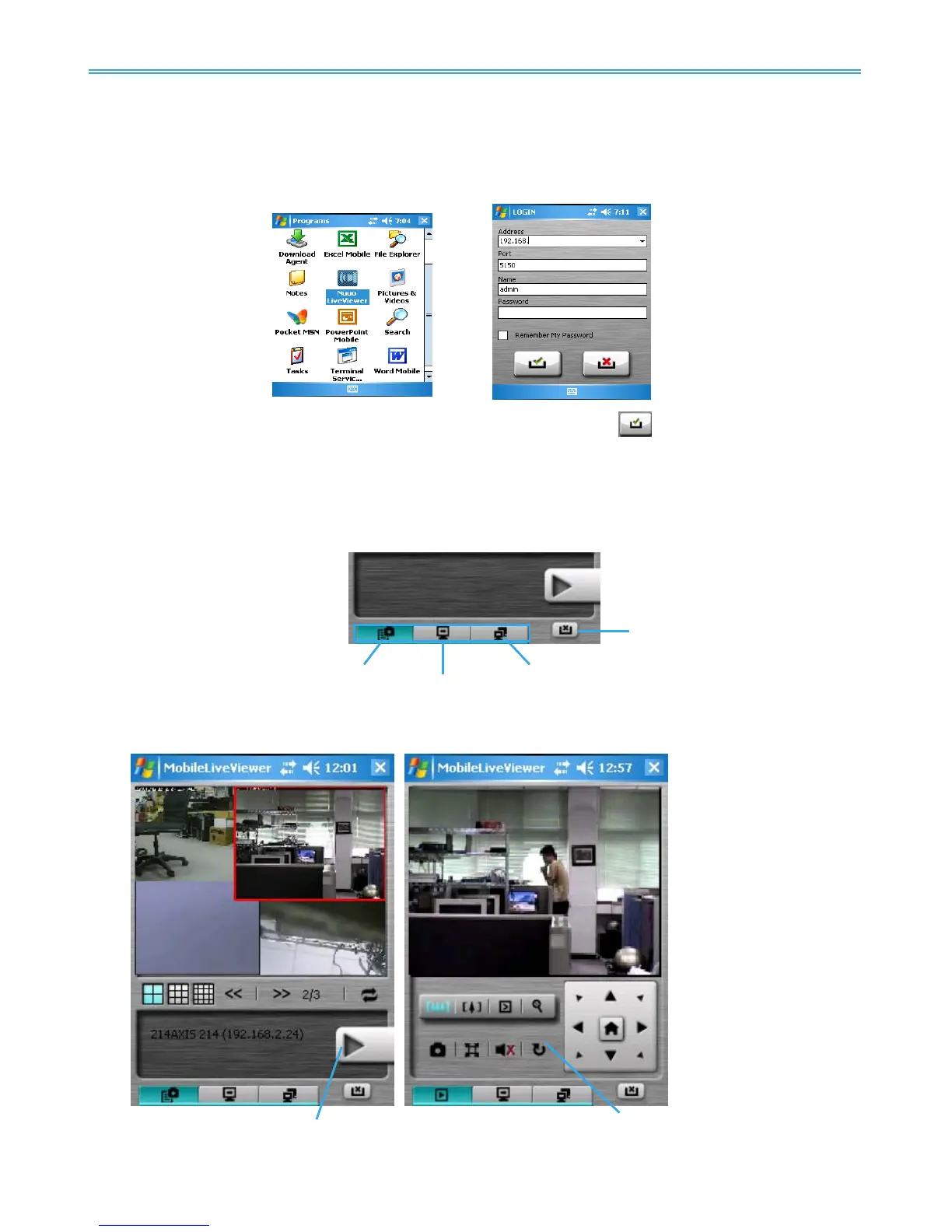
Step 1: Make sure your PDA/Smart Phone device is connected to network, and then go to Start - Programs -
NUUO PDA/Smart Phone Client to execute
application.
Step 2: Insert Address, Port, Name and Password of the server and click on to login.
1.3 PDA/Smart Phone Client Overview
There are 3 main pages of Client application: Monitor Preview, I/O Control and System Info. Switch between
these buttons to adjust overall configuration.
1.3.1 Live View
Camera List Live Video Display
Camera List:



 To Next Page