The Intelligent Surveillance Solution
NUUO NVR/DVR/Hybrid NDVR System
- 58 -
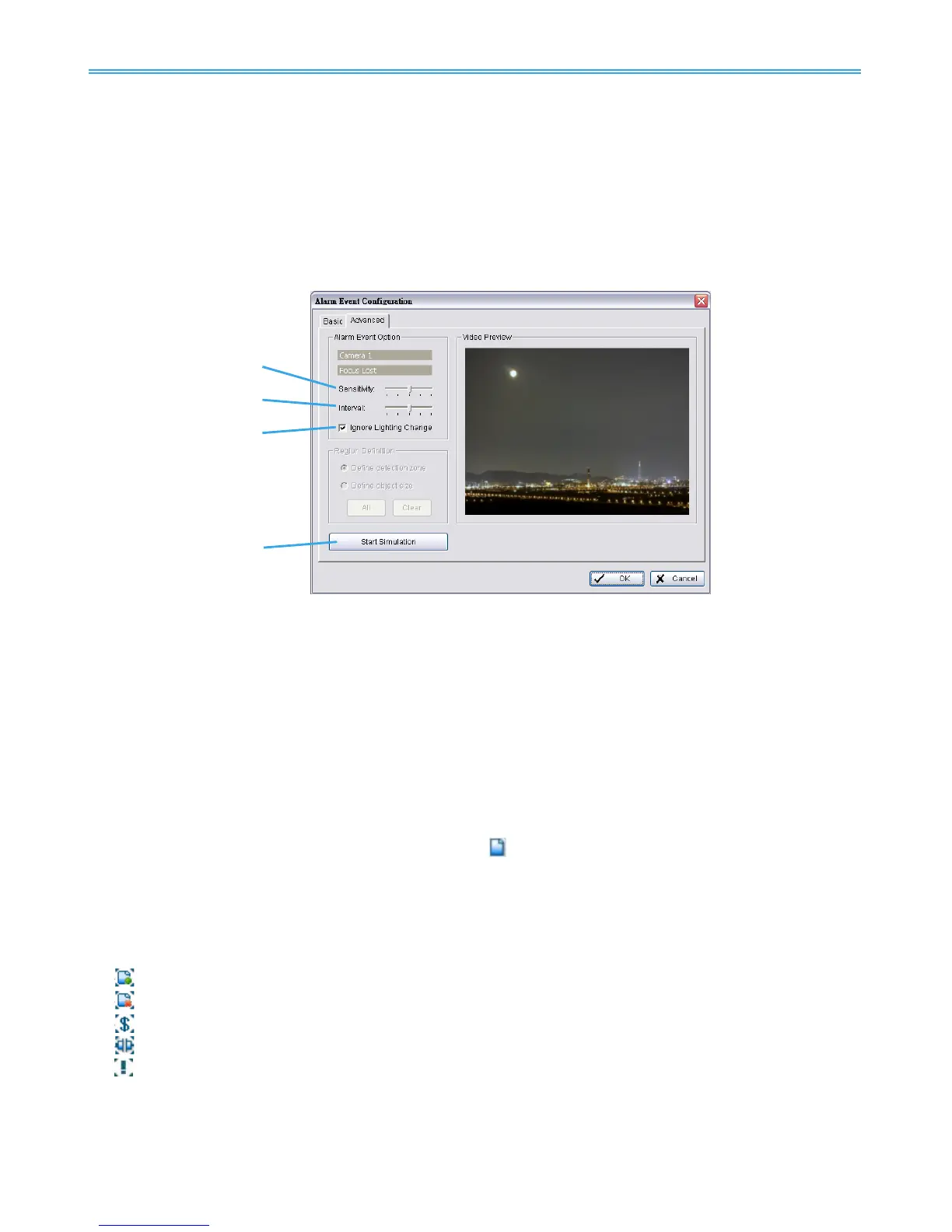
Region Definition:
Define detection zone:
To detect Lose Focus, you have to define a detection zone. Left-click and drag
the mouse to draw a detection zone. You may define more than one zone on the screen by repeating
the same process. User can also click on “All” button to select the entire detection zone.
Start Simulation: Click the Start Simulation button and test the function on the preview screen.
4.1.9 Camera Event - Camera Occlusion
This function alarms you when any of the cameras are blocked.
Alarm Event Option:
Sensitivity: Click and move the slider control to the right to increase sensitivity so that a relatively small
movement will trigger the alarm. Move the bar to the left to reduce the sensitivity of movement
detection. Set up an appropriate Sensitivity value will reduce the chance of false alarm. For example,
you can lower the Sensitivity to avoid the alarm being triggered by a swinging tree in the breeze.
Interval: Click and move the slider control to the right to increase interval time so that the alarm will only
be triggered when the
movement lasts longer. Move to the left to reduce the interval time.
Ignore Lighting:
Check the box to avoid alarm being set off by light changing.
Start Simulation: Click the Start Simulation button and test the function on the preview screen.
4.1.10 Metadata Event - Assign a Metadata Event
Step 1: Select a metadata device from the list and click
to insert event.
Note: Please insert the metadata device in Config - Metadata Application first. Then set the alarm
based on it.
Step 2: There are five types of events: Transaction Start, Transaction End, Open Cash Register, Connection
Lost and User Defined. Select the event you want on the Event Type list, and then click OK.
Note that the Open Cash Register event is available on POS metadata devices only.
Transaction Start - Detect the beginning of any transaction.
Transaction End - Detect the end of any transaction.
Open Cash Drawer - Detect the opening of any cash drawer.
Connection Lost - Detect the connection problems between metadata devices and Main Console.
User Defined - Detect any condition defined by user.



 To Next Page