The Intelligent Surveillance Solution
NUUO NVR/DVR/Hybrid NDVR System
- 76 -
5.8 Setting – Joystick
* Note: This function is not available under NUUO NVR Lite license.
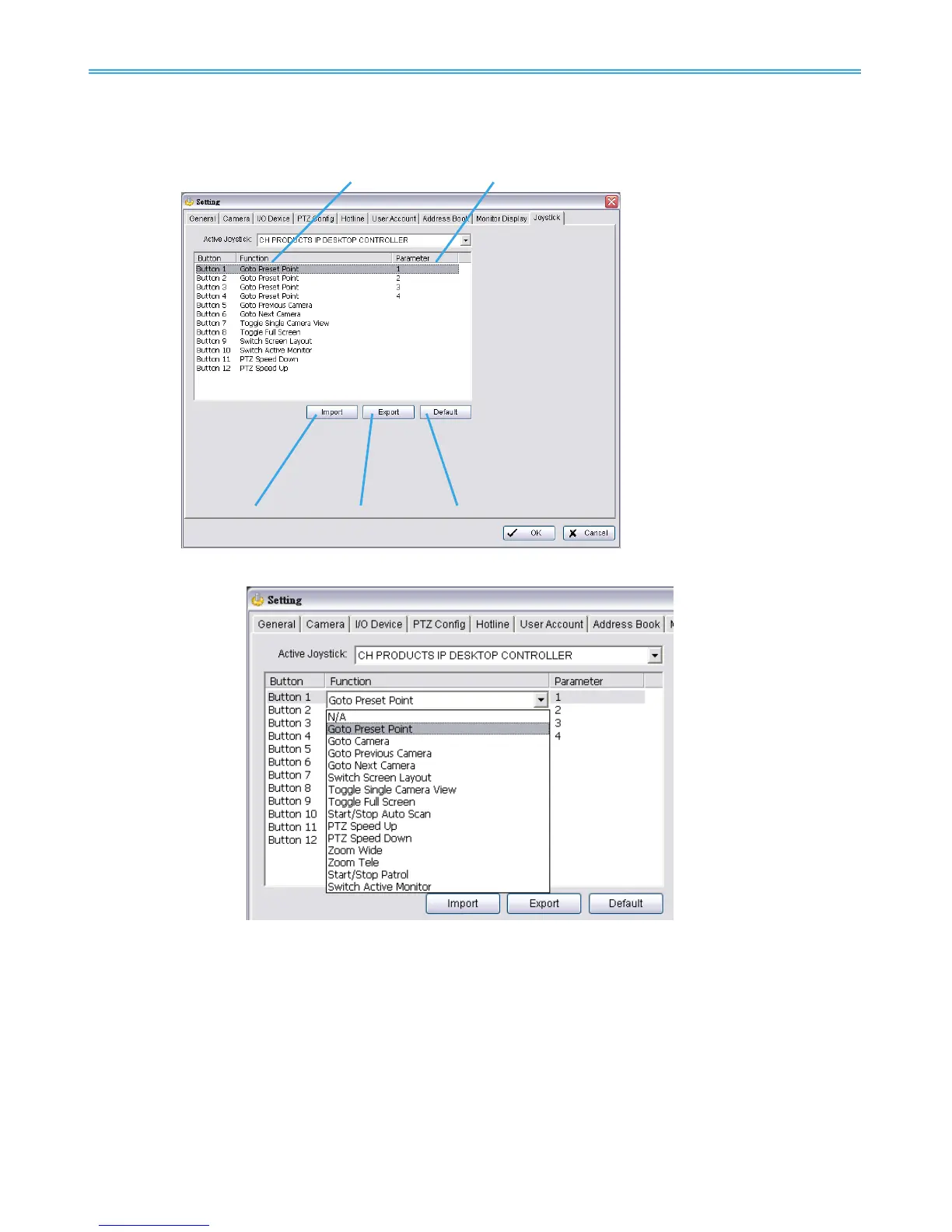
Function: You can choose the function from the drop-down menu for the button of the joystick.
Note: Following is a complete list of all functions:
1. N/A
2. Goto Preset Point (including Home)
3. Goto Camera
4. Goto Previous Camera
5. Goto Next Camera
6. Switch Screen Layout
7. Toggle Single Camera View
Parameter: You can choose the parameter of the function from the drop-down menu.
Default: You can set the default setting for the joystick.
Export: You can export the setting of the joystick.
Import: You can import the setting of the joystick.



 To Next Page