The Intelligent Surveillance Solution
NUUO NVR/DVR/Hybrid NDVR System
- 91 -
5.18 Help
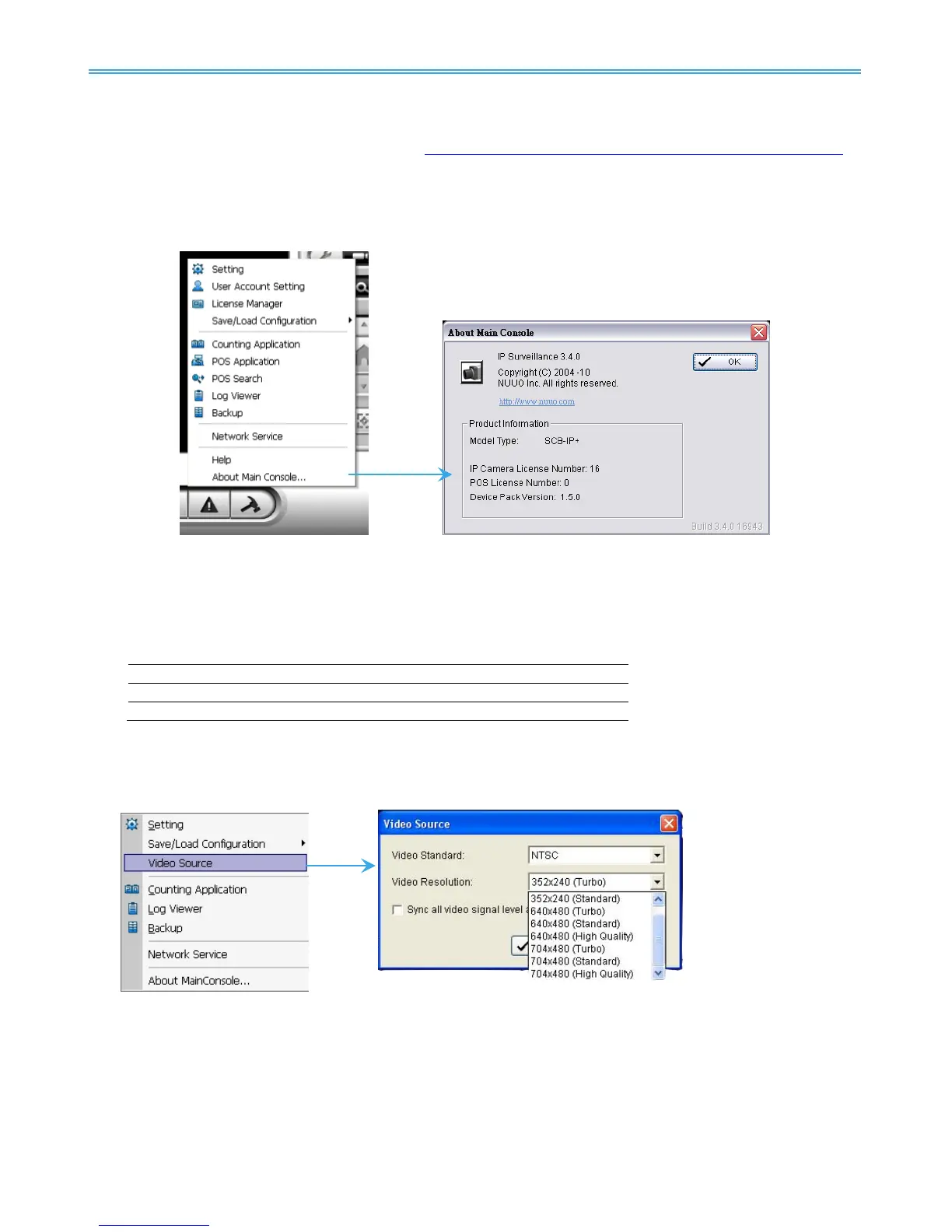
Click Help to connect to FAQ of NUUO website http://support.nuuo.com/mediawiki/index.php/Main_Page .
5.19 About Main Console
Go to About Main Console for detailed system and license information.
5.20 Video Source
Note: Not supported under Lite license
Step 1: Go to Video Source to adjust the Video Standard to NTSC or PAL.
Step 2: Adjust the maximum Video Resolution for all analog cameras.(MPEG4 only)
Step 3: For MPEG4, click “Sync all video signal level” after pressing OK to synchronize video signal level to the
optimized display (Auto-gain control).
For HD, click “Sync all video signal level” to auto detect video resolution (1080P/720P)



 To Next Page