The Intelligent Surveillance Solution
NUUO NVR/DVR/Hybrid NDVR System
- 11 -
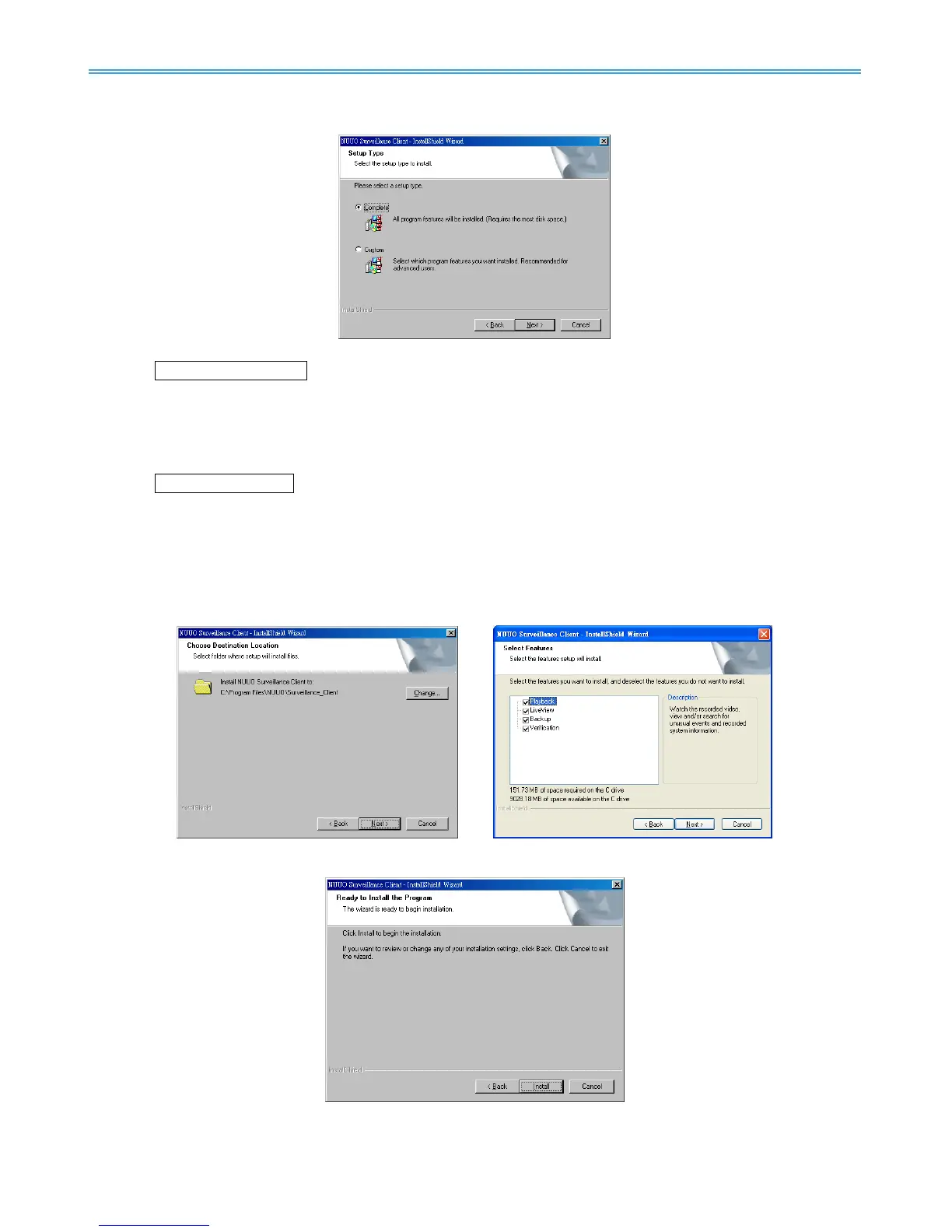
Step 6: Select Complete or Custom setup type and select Next to continue.
COMPLETE SETUP TYPE
Installs all program features into the default directory.
Check Complete, and then select Next. All program features will be installed. [COMPLETE
SETUP requires the most disk space.]
CUSTOM SETUP TYPE
Installs the system to a preferred directory and allows you to select whichever program feature(s) to
install. [Recommended for advanced users]
Check Custom option and then click Next.
Select Change to modify the installation directory where setup will install, select Next.
Select the features setup will install, select Next after
confirmation.
Step 7: Select Install to begin the installation.
Step 8: Select Finish when install is complete.



 To Next Page