The Intelligent Surveillance Solution
NUUO NVR/DVR/Hybrid NDVR System
- 8 -
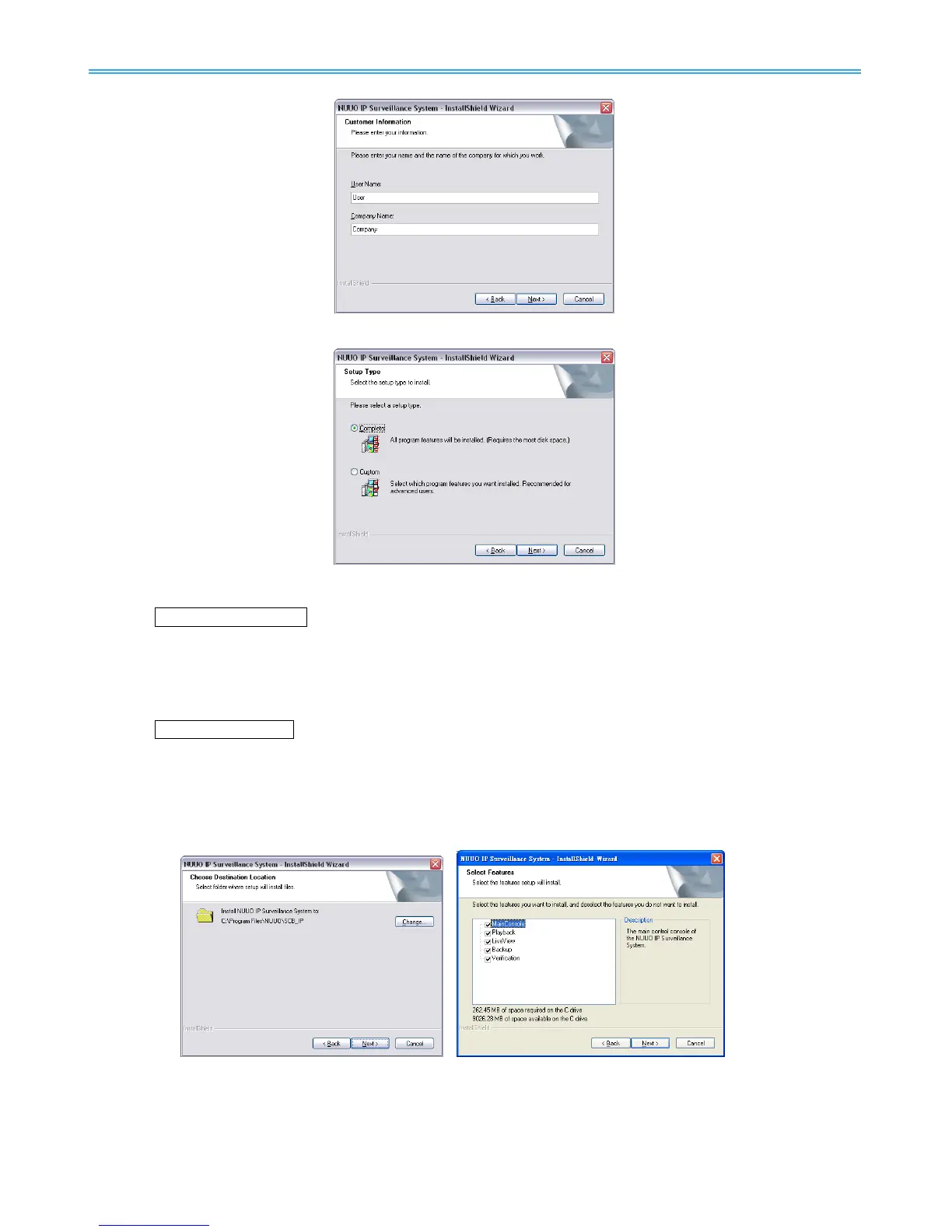
Step 7: Choose Complete or Custom setup type.
COMPLETE SETUP TYPE
Installs all program features into the default directory.
Check Complete, and then select Next. All program features will be installed. [COMPLETE SETUP
requires the most disk space.]
CUSTOM SETUP TYPE
Allows you to install the system to a preferred directory and select whichever program feature(s) to
install. [Recommended for advanced users]
Check Custom, and then select Next.
Select Change if you wish to modify the installation directory.
Select the feature(s) for setup to install, select Next.



 To Next Page